QUICK VERDICT. Most design tools give you a big pile of templates and a search box. Visme templates are organised as a working library: 24 content types, filterable by Type, Industry and Role, with real sub-categories underneath — 17 kinds of presentation, 17 kinds of infographic, and chart templates that go as far as Mekko and funnel charts. If your work is business communication rather than social graphics, this is the strongest template catalogue in the category.
The scale: 24 content types, not just presentations
Visme’s library covers far more document classes than a typical design tool:
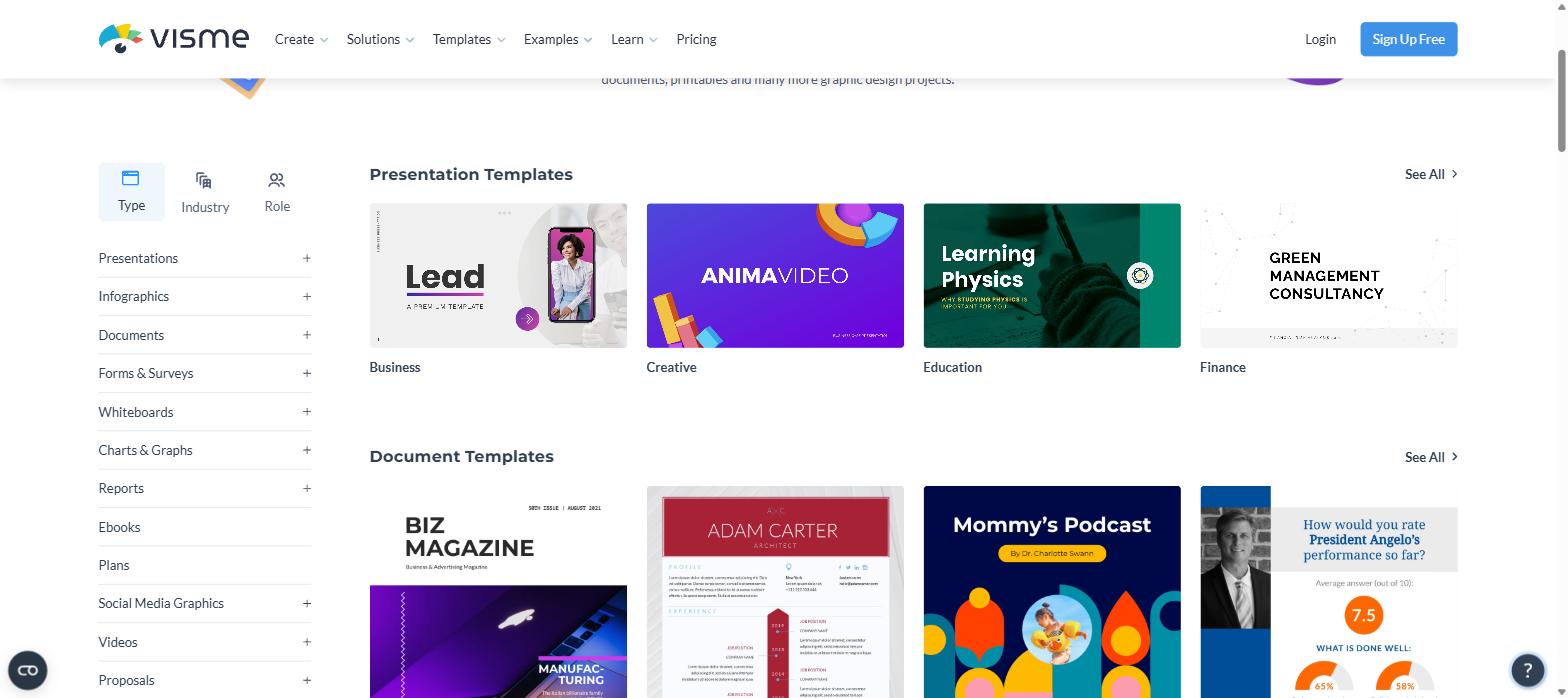
The library filters three ways — by Type, Industry and Role. Screenshot: visme.co
That range is the point. A marketing team can build a pitch deck, the one-page sell sheet that follows it, the case study that supports it and the LinkedIn graphic that promotes it — all from the same library, in the same brand, without switching tools. The search box on Visme’s own category pages reads “Search 15,000+ templates”, and Capterra lists the platform as carrying over 100 content types.
Filter by role and industry, not just by format
This is the feature that separates the library from a stock template dump. The main templates page filters three ways: Type, Industry and Role.
Filtering by role matters because the same format means different things to different jobs. A “report” for a marketer is a campaign wrap-up; for an HR manager it is a headcount summary; for a nonprofit it is an annual impact report. Starting from a template written for your job gets you closer to a finished document than starting from a blank one that merely has the right dimensions. You can try the filters yourself on the Visme templates page.
The depth underneath each category
Where the library really earns its reputation is one level down.
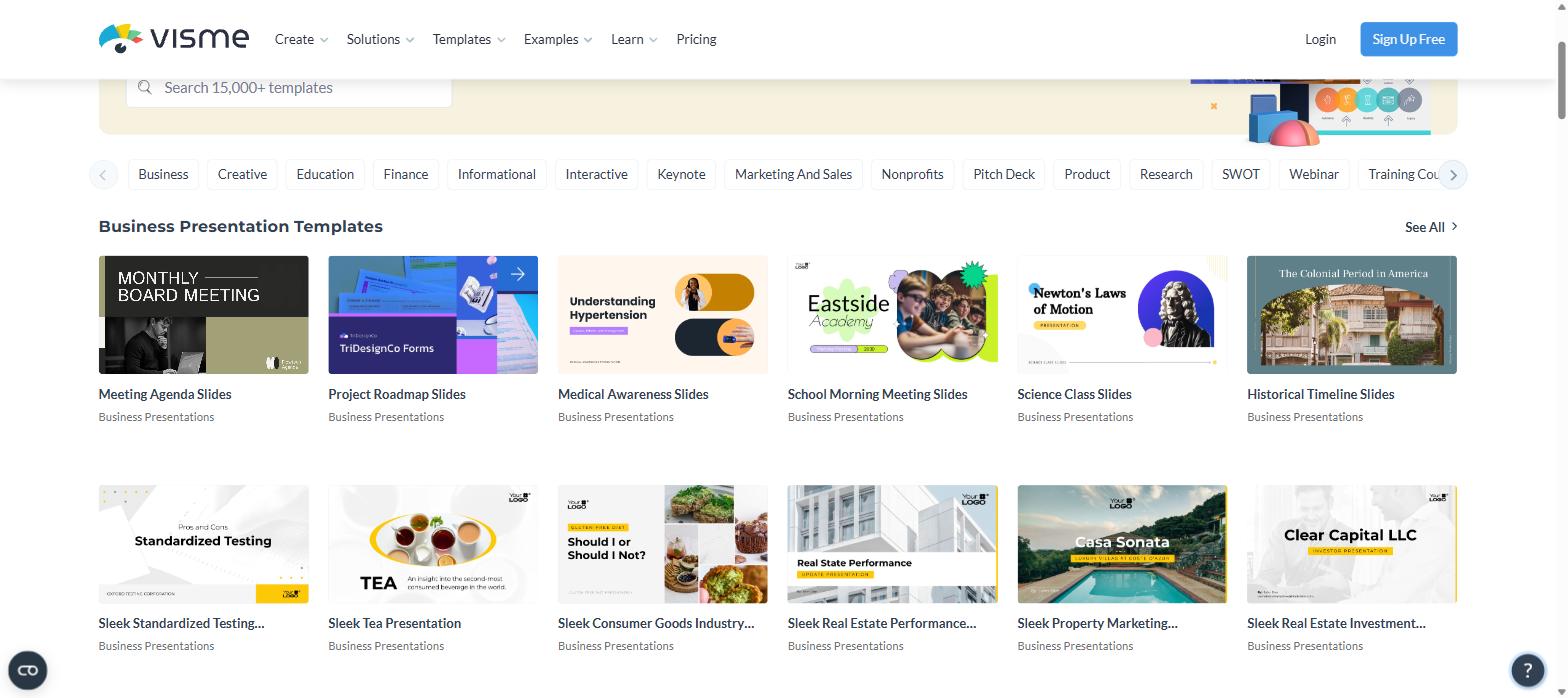
Presentation templates — 17 sub-categories: Business, Creative, Education, Finance, Informational, Interactive, Keynote, Marketing and Sales, Nonprofits, Pitch Deck, Product, Research, SWOT, Webinar, Training Courses, Sports and Medical. A dedicated SWOT set and a dedicated pitch-deck set are not things most tools bother to separate.
Seventeen presentation categories, from Pitch Deck to SWOT to Training Courses. Screenshot: visme.co
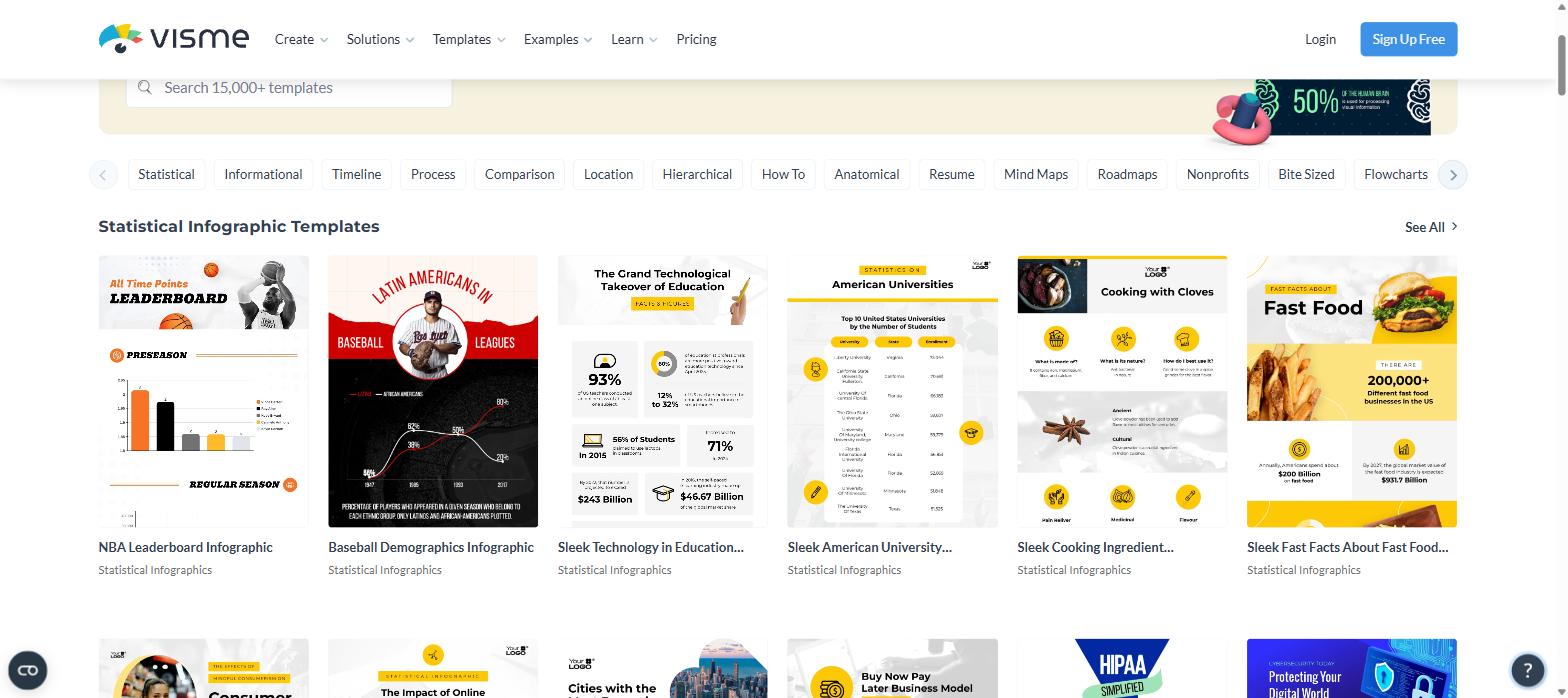
Infographic templates — 1,000+ on their own, across 17 types: Statistical, Informational, Timeline, Process, Comparison, Location, Hierarchical, How To, Anatomical, Resume, Mind Maps, Roadmaps, Nonprofits, Bite Sized, Flowcharts, Diagrams, and Compare and Contrast. Anatomical and hierarchical infographic templates are genuinely rare outside specialist tools.
The infographic section alone is advertised as 1,000+ templates across 17 types. Screenshot: visme.co
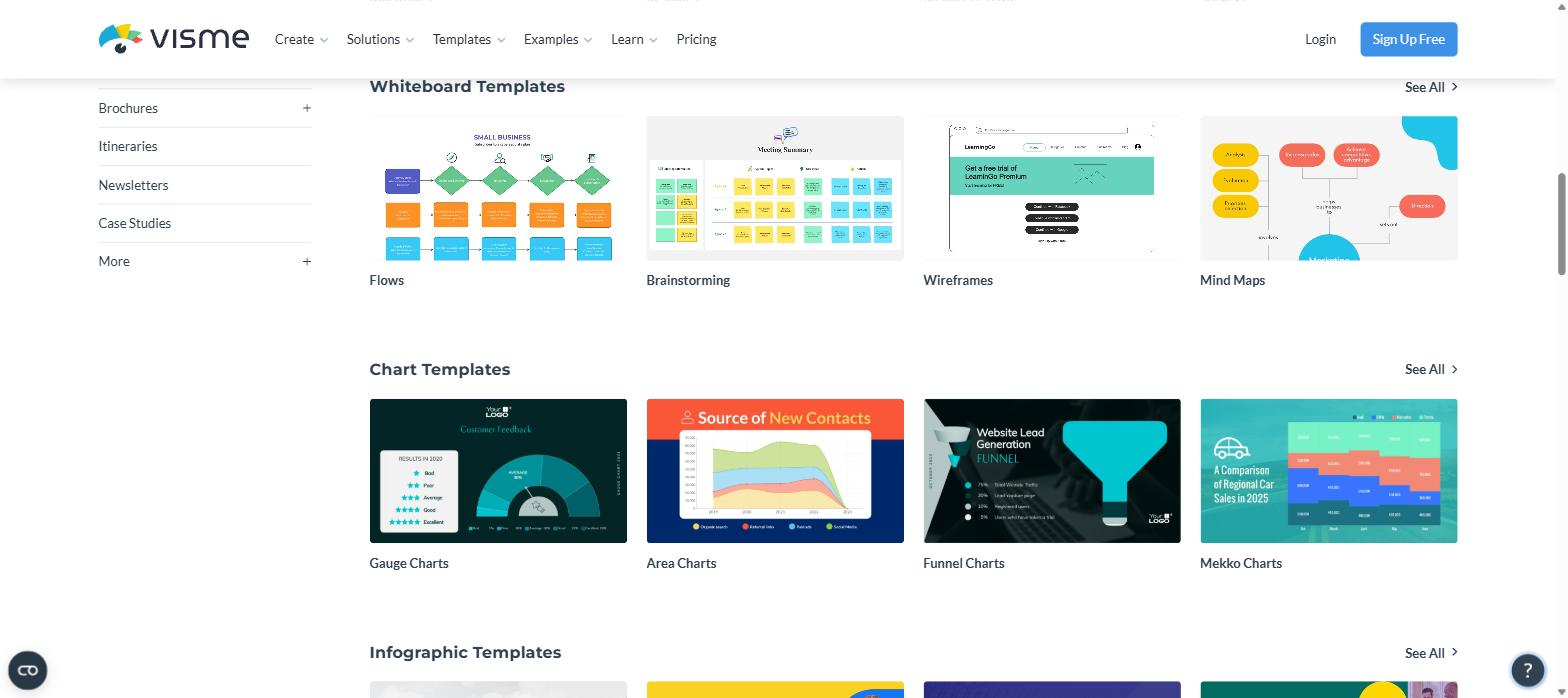
Chart templates go past the basics: alongside the usual bar and line sets there are Gauge, Area, Funnel and Mekko chart templates. Mekko charts in particular almost never appear in a consumer design tool — they belong to consulting decks — and their presence tells you who Visme built this for.
Whiteboard sets for flows, brainstorming, wireframes and mind maps, plus chart templates down to Mekko. Screenshot: visme.co
Whiteboard templates: Flows, Brainstorming, Wireframes and Mind Maps, which covers the pre-design thinking stage as well as the output.
Social and web graphics are sized per placement: Facebook Ads, Twitter (X) Ads, YouTube Channel Art, LinkedIn Sponsored Content, plus Wallpapers, Website Headers, Email Headers and Large Rectangles. You pick the placement, not the pixel dimensions.
Video templates: Intros, Outros, Animated Quotes and Promo Ads.
How to pick the right template quickly
A library this large can slow you down if you browse it like a gallery. A faster order of operations:
Start from Role or Industry, not Type. The Type filter tells you the shape of the document; Role and Industry tell you what belongs inside it.
Pick for the data, not the cover. The slides or panels you will spend longest on are the ones holding charts and numbers — judge a template on those, not its title page.
Check the sub-category before the thumbnails. “Presentation” is 17 different jobs; going straight to Pitch Deck or SWOT cuts the browsing by an order of magnitude.
Borrow across templates. You are allowed to take one layout from each of three designs. Doing that deliberately is faster than hunting for one perfect match.
Set the brand kit first if you have Pro. Applying your colours and fonts before you start means you are judging layout rather than palette.
None of this requires a paid account to try — the whole catalogue is browsable before you sign up, and you can open the Visme templates and filter through it to see whether your document type is covered.
Mix and match rather than start over
Visme’s own description of the presentation library is worth quoting because it describes how people actually work: you can “mix and match layouts, slides or designs until you’re satisfied.”
In practice that means a template is a starting kit rather than a locked design. Pull the title slide from one deck, the data slides from another, the closing slide from a third. For anyone who has ever liked a template’s cover but hated its chart pages, that flexibility is the difference between using the library and fighting it.
Combine that with the brand kit on the Pro plan and the workflow becomes simple: pick layouts you like, apply your palette and fonts once, and every future project inherits them.
Who gets the most out of the Visme template library
Strongest fit: business and marketing teams producing a mix of decks, reports, one-pagers and social assets; anyone whose work involves presenting data rather than decorating it; educators and trainers, who get dedicated training-course and syllabus sets; nonprofits, who get their own presentation and infographic categories rather than being told to adapt a corporate one.
Also very good for: job seekers — there are resume templates in both the document and infographic sections — and small businesses producing menus, flyers, sell sheets and catalogues without a designer.
What to know before you rely on it
Two honest notes, because they affect how you use the library.
Premium templates need a paid plan. The free Basic plan gives you “most templates” but explicitly excludes premium assets and templates. More importantly, Basic cannot download in any format at all — so a free account is for building and sharing by link, not for producing files. Our Visme free plan breakdown covers exactly where that line sits.
Customising can be fiddly. Visme holds a strong 4.5/5 from 719 Capterra reviews with 92% positive sentiment, but the recurring complaints in that same data are about the editing experience rather than the designs: cumbersome text editing with formatting inconsistencies, and awkward object resizing. The templates are excellent; reshaping them heavily takes more patience than it should.
Verdict
Judged purely on templates, Visme is at the top of its category for business communication. The breadth across 24 content types is unusual, the depth inside each one is better than the headline count suggests, and the Type/Industry/Role filtering turns a big library into a usable one. If your output is decks, reports, infographics and data, the catalogue alone is a good reason to try it — and you can browse the whole thing before creating an account on the Visme template library.
Visme’s own search box reads “Search 15,000+ templates”, and Capterra lists over 100 content types. The infographic section alone is advertised as 1,000+.
Are Visme templates free?
Many are. The free Basic plan includes “most templates” but not premium assets and templates, and it cannot export files — a paid plan is needed to download.
Can I edit a Visme template heavily?
Yes. You can mix and match layouts, slides and designs across templates. Reviewers note that text editing and resizing can be fiddly, so expect some patience on heavy redesigns.
Does Visme have templates for my industry?
The library filters by Industry and Role as well as Type, with dedicated sets for education, nonprofits, medical, finance and more.
What template types does Visme have that most design tools skip?
Mekko, funnel and gauge charts, anatomical and hierarchical infographics, SWOT presentation sets, training manuals, whitepapers and product sell sheets.
Are there Visme templates for resumes?
Yes, in two places — a resume set under Document templates and a separate resume category under Infographic templates for a more visual CV.
The iPhone 18 no ports theory is suddenly everywhere. A video making the rounds on TikTok and social media appears to show something startling: an iPhone — labeled as the “iPhone 18” — charging through a small magnetic connector instead…
Hottest fashion trends 2026 reviewed honestly — which trending styles are actually wearable, which are overhyped, and what’s worth buying right now in the US market. Quick Verdict: 2026’s biggest fashion trends fall into two camps: genuinely wearable evolutions of…
PS5 Pro review 2026 — I tested it for 30 days. Here’s the honest verdict on performance, graphics, and whether upgrading from a standard PS5 is actually worth the money. Quick Verdict: The PS5 Pro is the most capable PlayStation…