Most streaming software asks you to assemble your own kit: one service for alerts, another for a chatbot, a third for donations, a fourth for overlays, and a browser full of dashboards to keep them talking to each other. OWN3D Pro is the attempt to collapse all of that into one login, and the part worth knowing before anything else is that a usable version of it costs nothing at all.
This review covers what the free tier of OWN3D Pro actually includes, what the two paid passes add, and where the numbers published by OWN3D do not quite line up. Everything below comes from OWN3D’s own product and pricing pages rather than from a funded account.
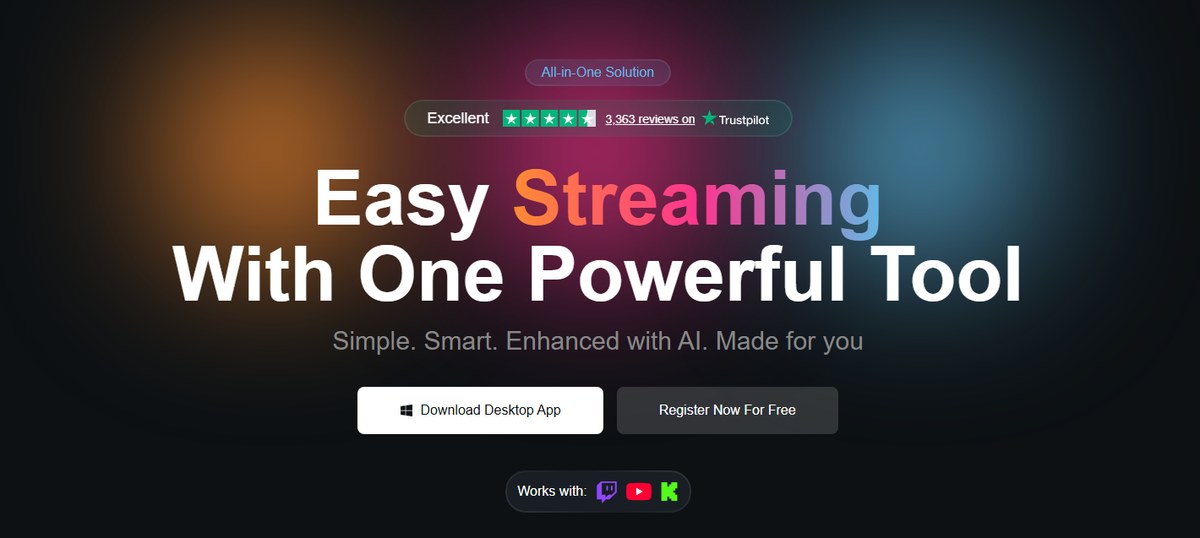
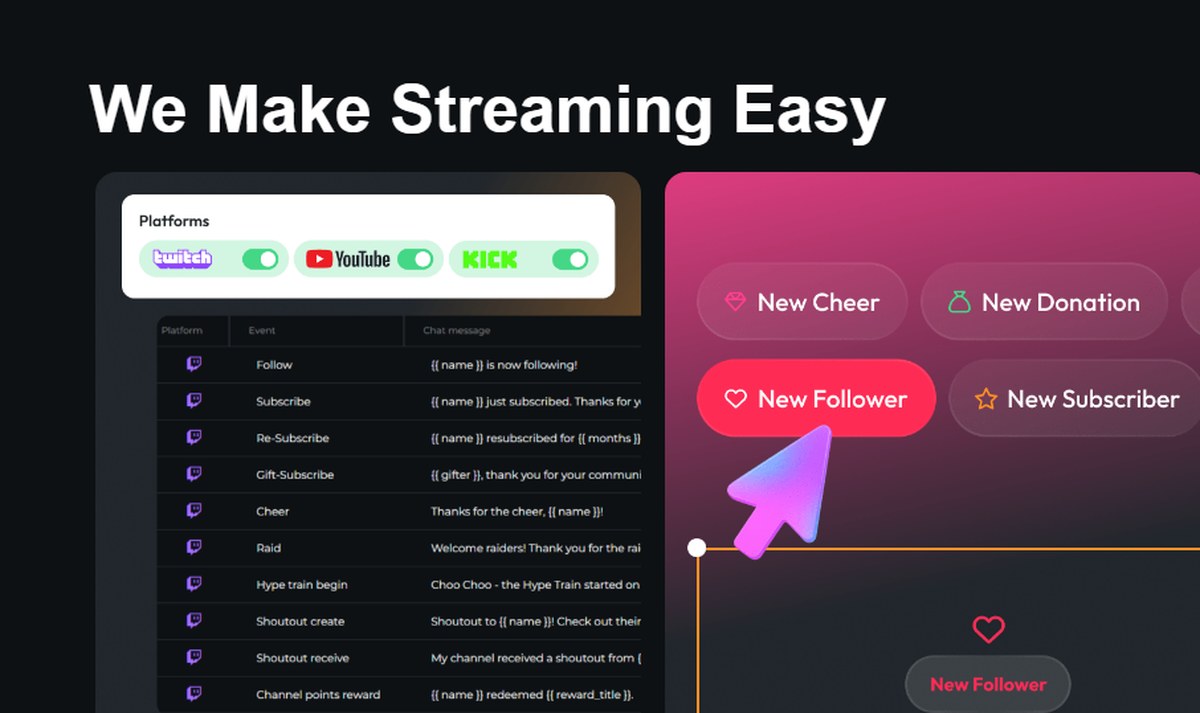
OWN3D Pro bills itself as one tool covering Twitch, YouTube and Kick.
What OWN3D Pro is, and what it replaces
OWN3D Pro is a browser-based and desktop streaming tool built around a Scene Builder: you assemble your overlay scenes inside OWN3D Pro, then pull them into OBS, Streamlabs or your broadcasting software of choice as browser sources. Around that sit the things a channel normally needs separate services for — a chatbot, alerts, goal bars, event lists, a donation page, a live chat widget, music players and Twitch Extensions.
It runs as a web app and a desktop app, works with Twitch, YouTube and Kick, and supports multistreaming to all three at once. OWN3D’s framing is “easy streaming with one powerful tool”, and the practical read is that OWN3D Pro is positioned squarely against StreamElements and Streamlabs rather than against a design shop.
The OWN3D Pro free tier, in full
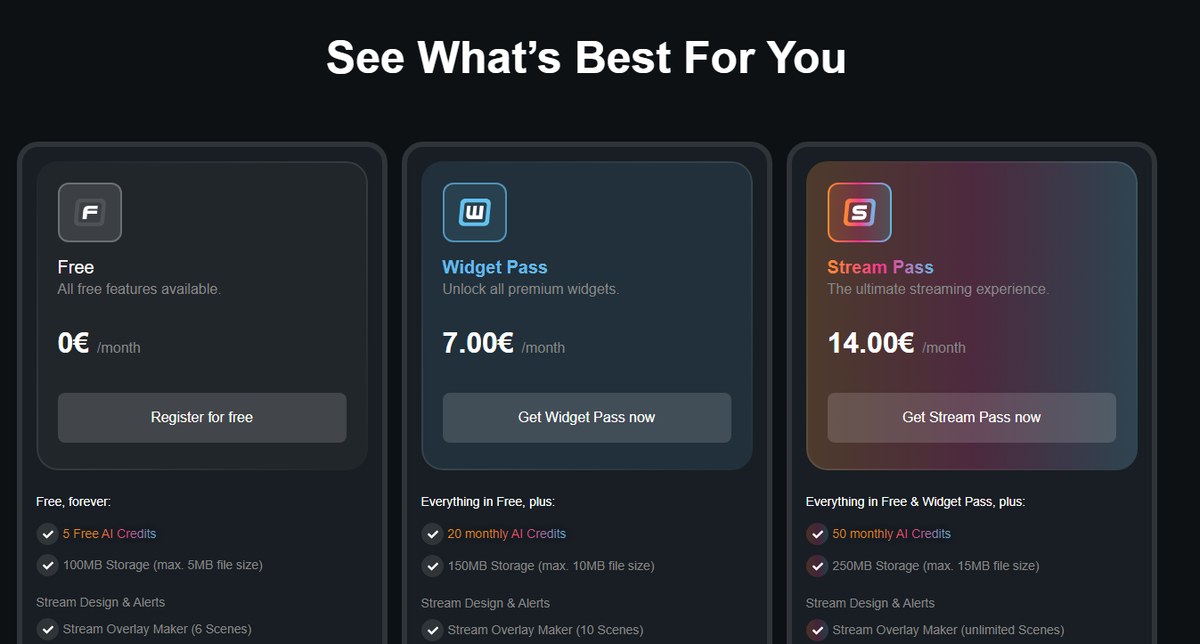
Three tiers, with the entry one listed at 0 euro per month.
The free tier is listed as 0€ a month and described as “free, forever”. It is not a trial, and it is more generous than that phrasing usually implies:
Six scenes is enough for a complete rotation: starting soon, live gameplay, just chatting, a break screen, an ending screen and one spare. For a channel that is still finding its audience, the free tier of OWN3D Pro is a working setup rather than a crippled demo, and that is the single most useful fact in this review.
Widget Pass at 7 euro a month
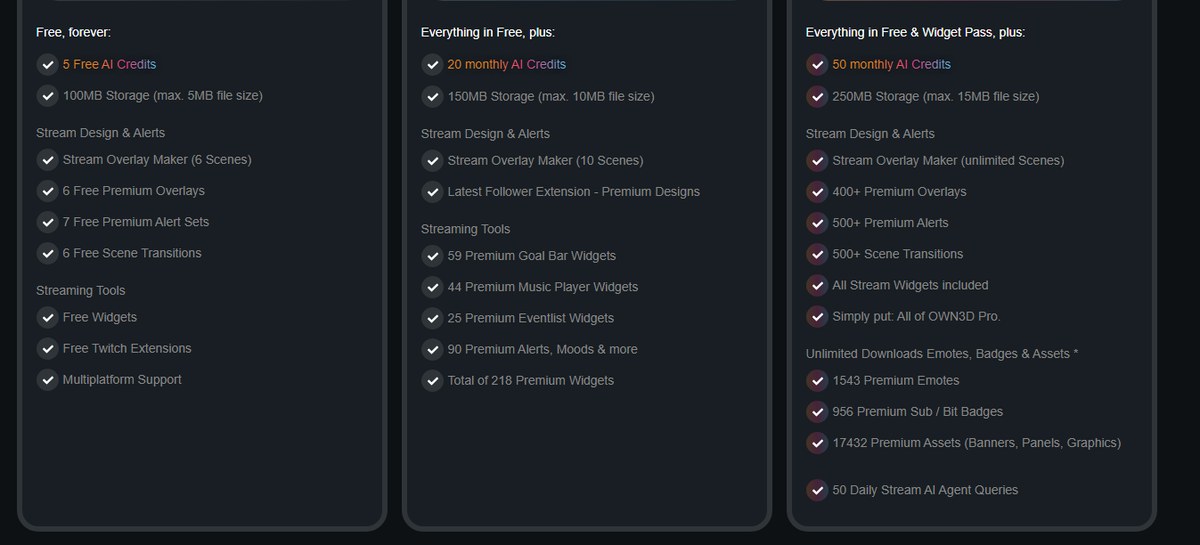
The published feature list for Free, Widget Pass and Stream Pass.
The Widget Pass is 7,00€ a month and buys widgets rather than designs. Everything in Free, plus:
218 premium widgets in total — 59 goal bar widgets, 44 music player widgets, 25 event list widgets, and 90 premium alerts, moods and more
Stream Overlay Maker raised to 10 scenes
Premium designs for the Latest Follower Extension
20 AI credits a month, 150MB storage at up to 10MB per file
This is the tier for a streamer who already has a look they are happy with and wants the on-screen furniture to be better: goal bars that match the channel, a music player that is not an eyesore, alerts with more variety.
Stream Pass at 14 euro a month
The Stream Pass is 14,00€ a month and OWN3D’s own summary of it is blunt: “Simply put: All of OWN3D Pro.” It includes everything in Free and Widget Pass, plus:
400+ premium overlays, 500+ premium alerts, 500+ scene transitions
Stream Overlay Maker with unlimited scenes
All stream widgets included
Unlimited downloads of 1,543 premium emotes, 956 premium sub and bit badges and 17,432 premium assets (banners, panels, graphics)
50 AI credits a month and 50 daily Stream AI Agent queries
250MB storage at up to 15MB per file
The two passes cannot be combined — the Stream Pass already contains the Widget Pass — and OWN3D states you can start on Widget Pass and upgrade later.
Scene Builder: where OWN3D Pro actually gets used
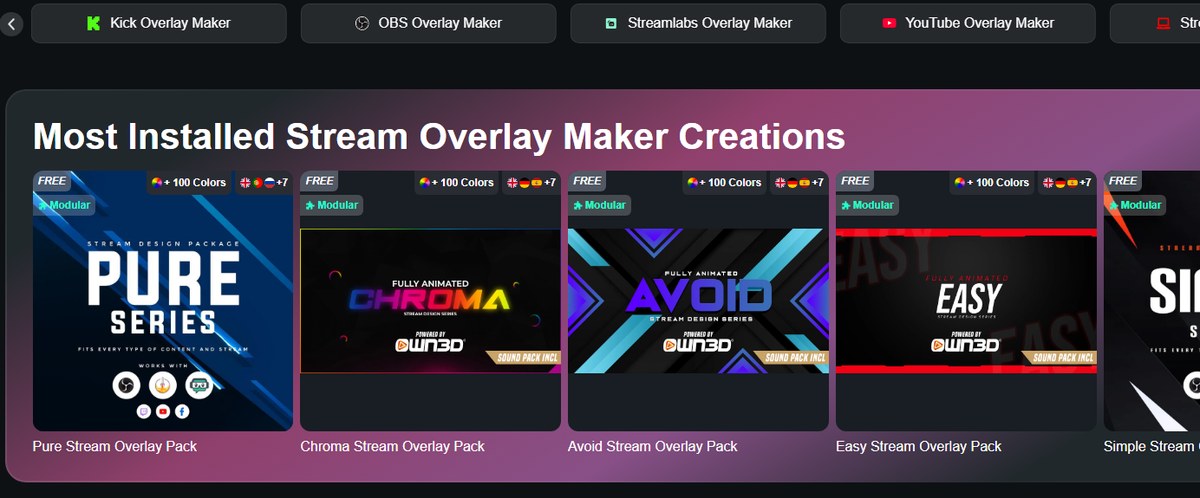
Several complete overlay packs are marked free inside the Overlay Maker.
The Scene Builder, also presented as the Stream Overlay Maker, is the part of OWN3D Pro you will spend your time in. OWN3D describes it as letting you start from hundreds of customisable templates or from scratch using over 12,000 stream assets, with packs that are modular and recolourable across 100 colours.
Two details matter more than the headline count. First, the library includes horizontal and vertical scenes, so a channel that also cuts vertical clips for mobile is covered without rebuilding anything. Second, designs built in the Scene Builder are not downloadable — you use them directly as a browser source in your broadcasting tool. Assets such as banners, emotes, badges and Stream Deck icons do download; scenes do not. That is a deliberate design choice rather than a restriction buried in the small print, and OWN3D states it plainly in its own FAQ.
Chatbot, donations and the engagement tools
The chatbot responds to follows, subs, cheers, raids, hype trains and channel point rewards.
The chatbot is the piece that most justifies the “all-in-one” label. It handles the full event list a channel actually generates — follow, subscribe, re-subscribe, gift-subscribe, cheer, raid, hype train begin, shoutout created, shoutout received and channel point rewards — with editable chat messages for each, plus commands, timers, giveaways and moderation.
Alongside it:
Alerts for followers, donations and subs across Twitch, YouTube and Kick
Event lists highlighting recent supporters
Goal bars tracking sub, follower or donation targets
Live chat widgets showing messages on screen with customisable designs
Music players displaying the current track in real time
Mood and countdown widgets
A donations dashboard and Linkspree, OWN3D’s link-in-bio page
Statistics and an Overlay Color Changer
OWN3D Pro also ships Twitch Extensions — the panels and overlays that live inside the Twitch player itself. If you have not used them, Twitch’s own developer documentation on Extensions explains what the format can and cannot do.
Multistreaming to Twitch, YouTube and Kick
The multistreaming side is newer and is the main reason to look at OWN3D Pro over a Twitch-only toolkit. The Multi-Chat Tool merges messages and events from Twitch, YouTube and Kick into one window, so you are not watching three chats on three monitors, and alerts fire from all three platforms into the same on-screen widgets.
For anyone hedging against a single platform — which, after the last few years of platform churn, is most people — that consolidation is worth more than any individual widget in the library.
The AI tools and what the credits buy
The AI layer is credit-metered rather than unlimited, which is the honest way to sell it. The tools are:
AI Widget Maker, built into the Scene Builder, generating banners, alerts and panels from a prompt
AI Webcam Frame Generator
AI Emote Maker and AI Logo Maker
A Stream AI Agent, capped at 50 queries a day on the Stream Pass
Credits run 5 one-off on Free, 20 a month on Widget Pass and 50 a month on Stream Pass. Twenty generations a month is enough to iterate on a couple of widgets, not to design a channel by prompt alone — treat the AI tools as an accelerator on top of the template library rather than a replacement for it.
Storage, fair use and the rules worth reading
Three operational limits are published rather than hidden, and all three are reasonable once you know them.
Storage is 100MB on Free, 150MB on Widget Pass and 250MB on Stream Pass, with per-file ceilings of 5MB, 10MB and 15MB. That is sized for overlay assets and alert sounds, not for video.
Downloads on the Stream Pass are described as unlimited but governed by fair use: up to 25 items per day per category, with OWN3D noting that bulk downloading may trigger temporary limits. If you were planning to pay for one month and vacuum the whole asset library, that is the sentence that stops you.
Individual purchases remain available. OWN3D states that almost every design, widget and asset can be bought on its own without a pass — useful if one specific pack is all you want.
Where the published numbers disagree
OWN3D runs two websites, and they do not say the same things about the same subscription. Both sets of figures are the company’s own, published at the same time, so both are reported here rather than one being picked:
Overlays in the Stream Pass: own3d.tv advertises “900+ overlays and alerts” and “500+ overlays”; the OWN3D Pro pricing page lists 400+ premium overlays and 500+ premium alerts.
Asset library: own3d.tv says “12,000+ stream designs” and “15,000+ stream assets”; the pricing page gives a precise 17,432 premium assets.
Billing cycle: own3d.tv shows the Stream Pass as “/month (paid quarterly)”, renewing automatically after three months; the OWN3D Pro pricing page lists a plain 14,00€ /month with no quarterly note.
Price display: on own3d.tv the Stream Pass figure renders as an empty space next to “/month”, while own3d.pro shows 0€ / 7,00€ / 14,00€ clearly.
None of this is alarming — it reads like two marketing sites updated on different schedules — but the euro prices on the OWN3D Pro site are the specific, current ones, and the billing cycle is worth confirming at checkout rather than assuming.
OWN3D Pro versus buying an overlay package outright
These are two different purchases that happen to come from the same company. A one-time overlay package is a .zip of files you own permanently; OWN3D Pro is a subscription to a tool and a library you lose access to if you stop paying. We looked at the shop side separately in our review of OWN3D overlay packages.
The arithmetic is simple. A single package is listed at $79.99 and never charges again. The Stream Pass is 14€ a month, so roughly six months of subscription costs about what one package does. If you want one look and intend to keep it, buy the package. If you expect to reskin for Halloween, Christmas and a summer rebrand, or you want the chatbot and widgets anyway, OWN3D Pro is the cheaper route — and the free tier means you can run the tools without choosing yet.
Who OWN3D Pro suits
Brand new streamers. The free tier is a complete starter setup: six scenes, premium overlays, alerts, chatbot, widgets, no card required.
Multiplatform streamers. The Multi-Chat Tool and simultaneous Twitch, YouTube and Kick alerts are the strongest single argument for OWN3D Pro.
Streamers who change their look often. Unlimited scenes plus 400+ overlays make seasonal rebrands a drag-and-drop job.
Channels wanting better on-screen furniture only. The 7€ Widget Pass is a narrow, sensible middle option that most competitors do not offer.
It suits you less if you want one permanent design and nothing else — that is what the overlay shop is for — or if you need to download and archive the scene files themselves, which the Scene Builder does not allow.
The short version
OWN3D Pro is a genuine all-in-one: Scene Builder, chatbot, alerts, goal bars, event lists, music players, donation page, Twitch Extensions and multistreaming to Twitch, YouTube and Kick, under one login and one dashboard.
The pricing is the clearest part of the proposition. 0€ gets you six scenes and a working channel. 7,00€ a month adds 218 premium widgets. 14,00€ a month unlocks everything, including 17,432 assets and unlimited scenes. Start on the free tier of OWN3D Pro, build your six scenes, and only pay when you hit a wall you actually care about.
The iPhone 18 no ports theory is suddenly everywhere. A video making the rounds on TikTok and social media appears to show something startling: an iPhone — labeled as the “iPhone 18” — charging through a small magnetic connector instead…
Hottest fashion trends 2026 reviewed honestly — which trending styles are actually wearable, which are overhyped, and what’s worth buying right now in the US market. Quick Verdict: 2026’s biggest fashion trends fall into two camps: genuinely wearable evolutions of…
PS5 Pro review 2026 — I tested it for 30 days. Here’s the honest verdict on performance, graphics, and whether upgrading from a standard PS5 is actually worth the money. Quick Verdict: The PS5 Pro is the most capable PlayStation…