Visme AI is not one button. It is a set of a dozen generative tools that sit inside the same editor you already use for slides, documents and social graphics, so the AI step and the design step happen in one place instead of two. That is the single biggest practical advantage here: you prompt, you get a real editable Visme project, and you keep working on it.
This review walks through what each Visme AI tool does, what it costs in credits (Visme publishes the exact numbers), what independent reviewers praise, and where the AI still falls short. Everything below comes from Visme’s own documentation and published pricing table plus third-party review data — I have not run a paid agency test myself, and I say so plainly rather than pretending otherwise.
What Visme AI actually includes
Visme groups its AI toolbox into four jobs: generate a whole design, fix images, write text, and set up your brand. The Visme AI toolbox currently covers:
AI Designer — a full design from a text prompt
AI Presentation Maker, AI Document Generator, AI Printables Maker, AI Social Media Post Generator — the same engine pointed at specific output types
AI Writer — writes, proofreads, summarises and switches tone on text already in your project
AI Image Generator — text-to-image in several styles: photos, paintings, pencil drawings, 3D graphics, icons and abstract art
AI Resize — refits the canvas and its contents to new dimensions
AI Text-to-Speech — six voices with automatic language detection
Brand Wizard — builds a Brand Kit from your website URL
AI-Boosted Image Search and AI Template Search
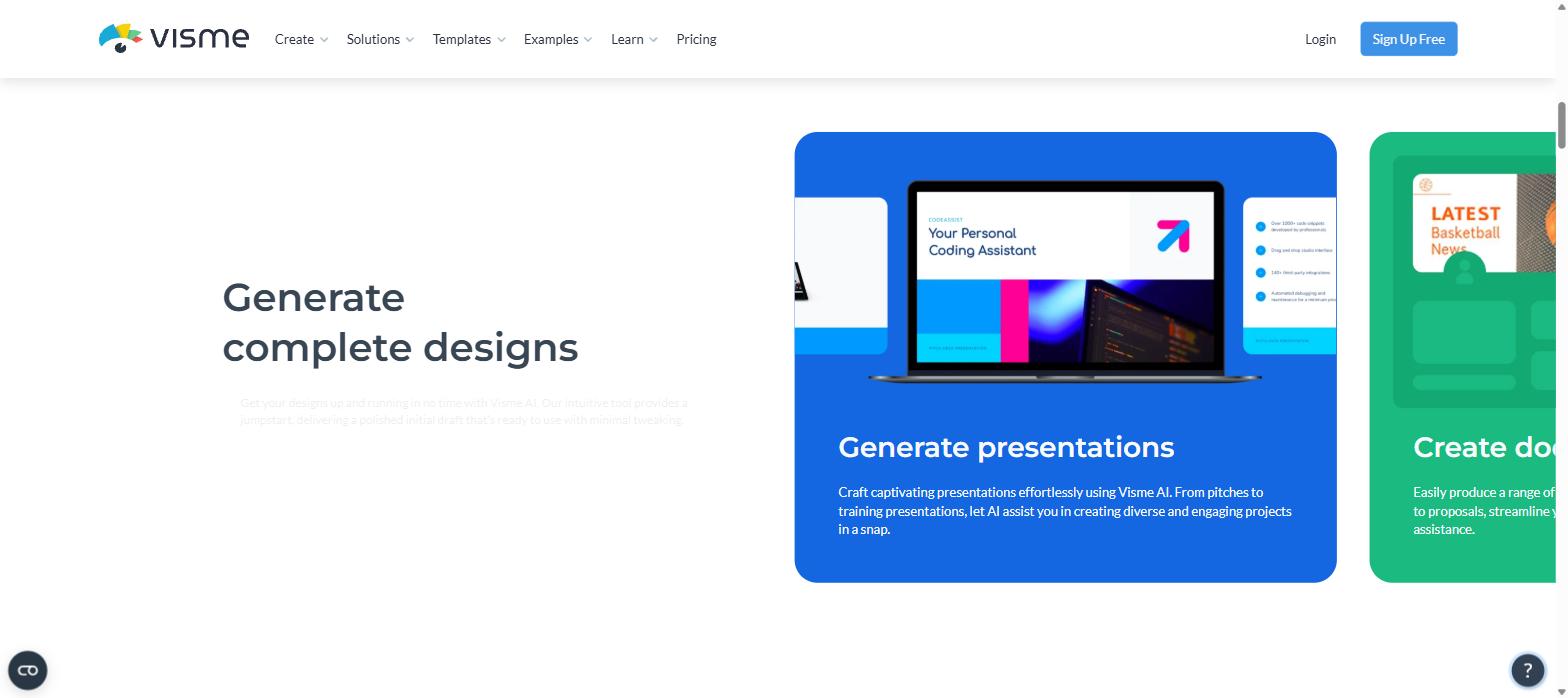
Visme groups the generative tools by output type — presentations, documents, print materials and social posts all run off the same AI Designer engine. Screenshot: visme.co/visme-ai
AI Designer: the part that earns its keep
AI Designer is the strongest piece of Visme AI, and it works the way you would want a design assistant to work. From the dashboard you choose Create New → Generate with AI, pick a project type and write a prompt. Rather than firing off one guess, the AI design generator runs a short chatbot exchange: it asks clarifying questions, then suggests several visual styles for you to choose from. Roughly two minutes later you have a finished draft.
The numbers Visme publishes are concrete: over 100 project types, designs up to 10 pages, and output you can share or download as flipbook, PDF, JPG or PPTX. Crucially the result is a normal Visme project — you can recolour it, swap images, drop in charts, apply your Brand Kit and run the TouchUp tools on the photos, all without leaving the editor.
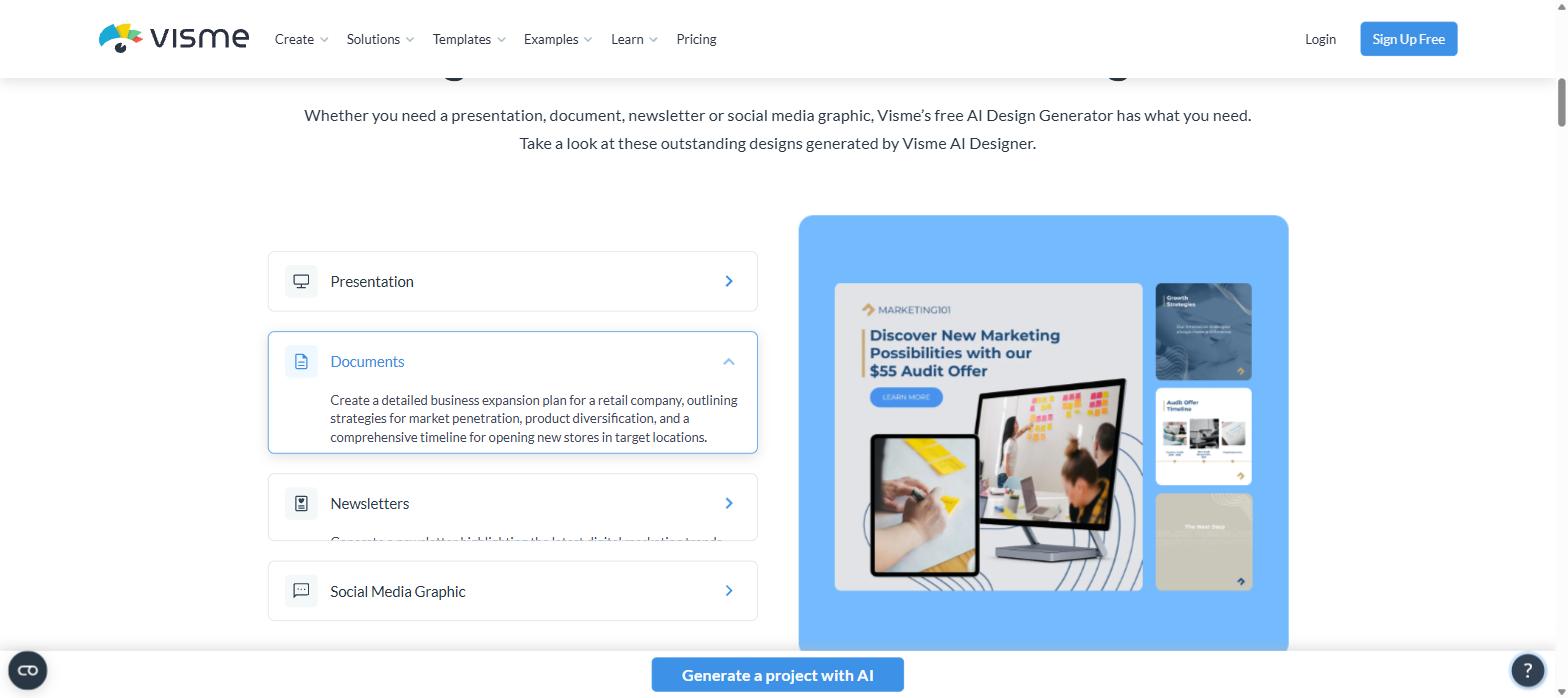
Visme publishes the exact prompts behind its sample outputs for presentations, documents, newsletters and social graphics. Screenshot: visme.co/ai-design-generator
What the AI Writer adds on top
Once a draft exists, AI Writer handles the text layer: it drafts missing copy, proofreads, summarises long passages and rewrites in a different tone. Because it operates on text boxes already placed in the layout, the rewrite keeps the design intact — which is a real advantage over pasting AI copy in from a separate chatbot.
What Visme AI actually costs in credits
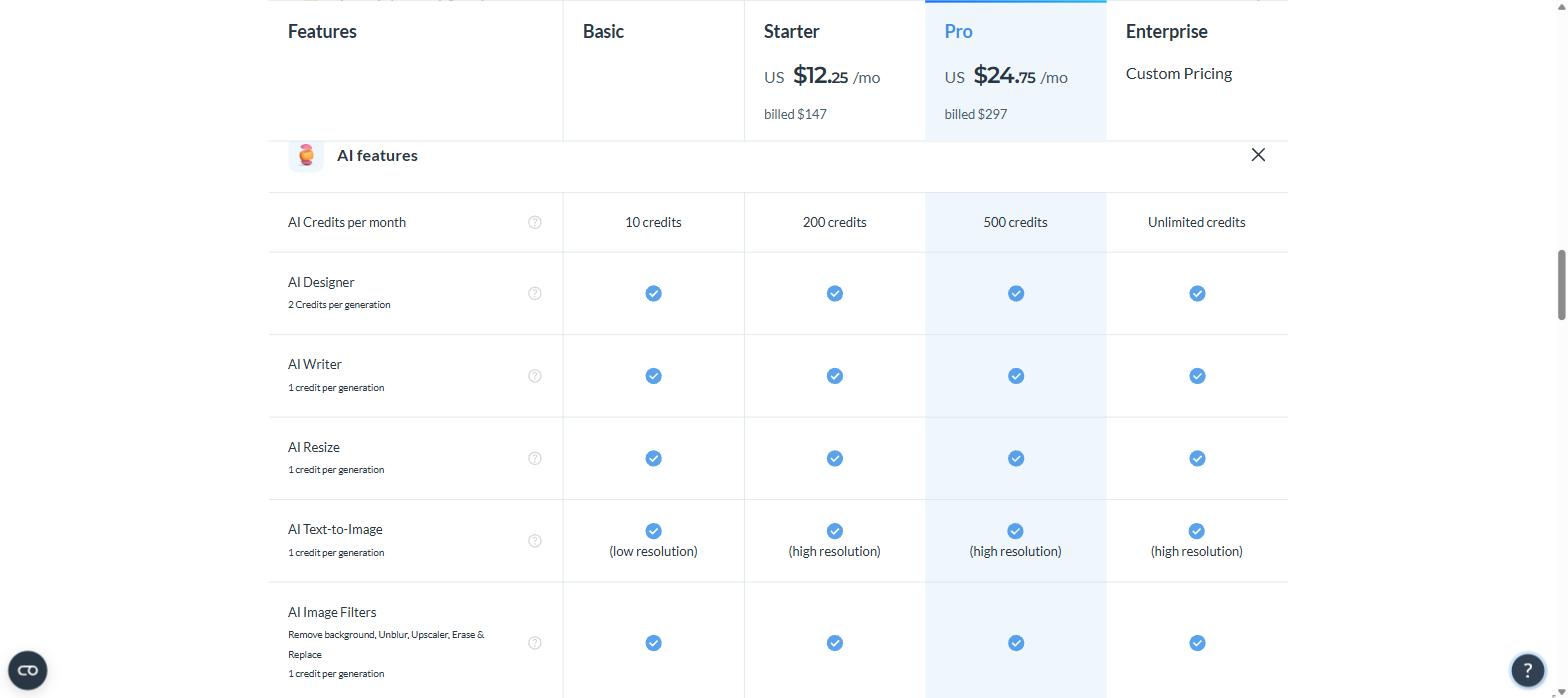
This is where Visme deserves credit for transparency: the exact credit price of every AI action is published in the pricing comparison, not buried in a help article. Starter is US$12.25/month billed annually (US$147/year) and Pro is US$24.75/month billed annually (US$297/year).
AI feature
Credit cost
Basic (free)
Starter
Pro
Enterprise
AI credits per month
—
10
200
500
Unlimited
AI Designer
2 credits / generation
✓
✓
✓
✓
AI Writer
1 credit / generation
✓
✓
✓
✓
AI Resize
1 credit / generation
✓
✓
✓
✓
AI Text-to-Image
1 credit / generation
Low resolution
High resolution
High resolution
High resolution
AI Image Filters (Background Remover, Unblur, Upscaler, Erase & Replace)
1 credit / generation
✓
✓
✓
✓
Figures taken directly from Visme’s published pricing comparison, September 2026.
The AI features row of Visme’s pricing table, where every credit cost is spelled out. Screenshot: visme.co/pricing
Translated into real use: the free Basic plan gives you five complete AI designs a month (10 credits ÷ 2), Starter gives you 100 and Pro gives you 250 — or a much larger number of smaller actions, since writing, resizing, image generation and image clean-up all cost a single credit. For most solo marketers Starter is more headroom than they will use; teams generating client decks weekly are the ones who need Pro.
If you want the full picture of what the free tier includes beyond AI, I broke that down separately in the Visme free plan review.
Brand Wizard, TouchUp and Text-to-Speech
Brand Wizard is the quiet favourite. You give it your website URL and it scans the site for your logo, the fonts in your text and a colour theme drawn from your visual palette, then shows you templates already wearing them. Two details make it genuinely safe to try: you pick which logo it found (or upload your own), and running it again never overwrites an existing Brand Kit — it adds the new logo, fonts and colour theme as extra options alongside what you already have. Note that the Brand Kit itself is listed as a Pro-tier feature, and only Administrators or users with the Designer or Marketing Manager role can edit it.
AI TouchUp covers the four image jobs you would otherwise leave the tool for — removing a background, upscaling without quality loss, unblurring a smudged or motion-blurred shot, and erasing and replacing an unwanted object — each at one credit. AI Text-to-Speech turns your slide text into narration with six voices and automatic language detection, which is the cheapest way to turn a Visme deck into a self-running video.
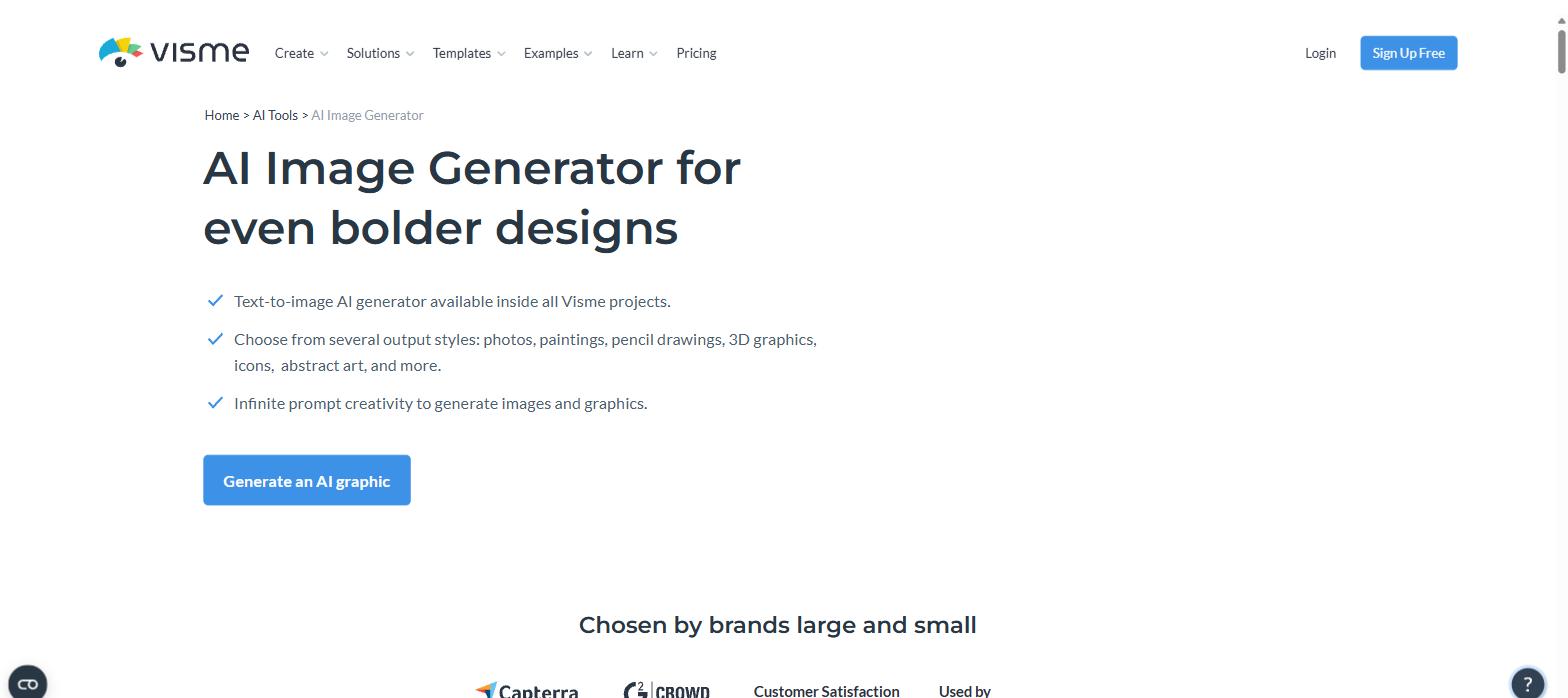
The AI Image Generator runs inside every Visme project rather than as a separate app. Screenshot: visme.co/ai-image-generator
What independent reviewers say
Visme holds 4.5 out of 5 from 511 reviews on G2 and 4.5 out of 5 from 719 reviews on Capterra — consistent, and high for a tool in this category. Capterra’s sentiment breakdown is the more useful number: infographic production scores 95% positive, social content creation 96% positive and accessible professional design tools 93% positive. Reviewers repeatedly note that the AI lowers the training burden, letting teams produce marketing assets without a designer on staff.
Where Visme AI still falls short
A positive review is not the same as an uncritical one, so here is what the evidence says about the limits. None of this is fatal, but you should know it before you plan a workflow around the AI:
Free-tier images are low resolution. Visme’s own comparison marks AI Text-to-Image as low resolution on Basic and high resolution only on paid plans — fine for mockups, not for anything you publish.
AI Designer cannot generate infographics, charts, graphs, videos or GIFs. Visme states this itself. For data visuals you start from a template instead, which I covered in the Visme infographics review and the Visme templates review.
Layout bugs in a real agency test. A hands-on review by 24slides found Visme’s “Truncate Text Box” behaviour hid AI-generated text to fit rigid template containers even when space was available, plus overlapping text and dark fonts on dark purple backgrounds. The same test reported the AI ignoring an attached style guide.
Image AI is the weakest module. G2 reviewers describe the AI image generator as poor, rate the background remover below Canva’s, and report Erase & Replace failing outright.
Price and performance complaints. The most common dislikes across G2 are cost (roughly double Canva) and occasional slowness, lag and interface glitches; Capterra logs glitches and slowdowns at 83% negative sentiment and awkward object resizing at 64%.
The pattern is consistent: Visme AI is strong at getting you to a first draft fast inside a real design tool, and weaker as a pixel-level image engine. Treat the output as a starting layout to refine, not a finished deliverable, and it holds up well.
Who should use Visme AI
It fits best if you make a steady stream of branded business collateral — pitch decks, reports, proposals, one-pagers, social sets — and you want brand-consistent drafts without a designer. Brand Wizard plus AI Designer is a genuinely fast path from “we need a deck by Thursday” to something presentable. It fits worst if your work is chart-heavy or image-generation-heavy, or if you need pixel-perfect creative control on every slide; in those cases the manual editor is where the value is, not the AI.
You can try the whole toolbox on the free plan first — five AI designs a month is enough to judge the output quality before you spend anything. Start with Visme AI here.
Want breadth instead of one specialist? Our Sintra AI review 2026 covers a platform of 12 role-specific AI employees sharing one brand memory, from $15.60 a month.
Affiliate disclosure
Some links in this article are affiliate links. If you sign up through them I may earn a commission at no extra cost to you. That has no bearing on what is written above: the pricing, credit costs and limitations are taken from Visme’s published documentation and from third-party review data, and the criticisms are reported as found.
The iPhone 18 no ports theory is suddenly everywhere. A video making the rounds on TikTok and social media appears to show something startling: an iPhone — labeled as the “iPhone 18” — charging through a small magnetic connector instead…
Hottest fashion trends 2026 reviewed honestly — which trending styles are actually wearable, which are overhyped, and what’s worth buying right now in the US market. Quick Verdict: 2026’s biggest fashion trends fall into two camps: genuinely wearable evolutions of…
PS5 Pro review 2026 — I tested it for 30 days. Here’s the honest verdict on performance, graphics, and whether upgrading from a standard PS5 is actually worth the money. Quick Verdict: The PS5 Pro is the most capable PlayStation…