🧠 Precision Scaling in the Age of AI
As high-resolution screens and large-format printing become the standard, the need to convert static pixels into flexible geometry has never been higher. This Vectorizer.ai Review 2026 looks at how a browser-based tool is challenging the manual “Image Trace” dominance of Adobe Illustrator.
The Deep Vector Engine: More Than Just Tracing
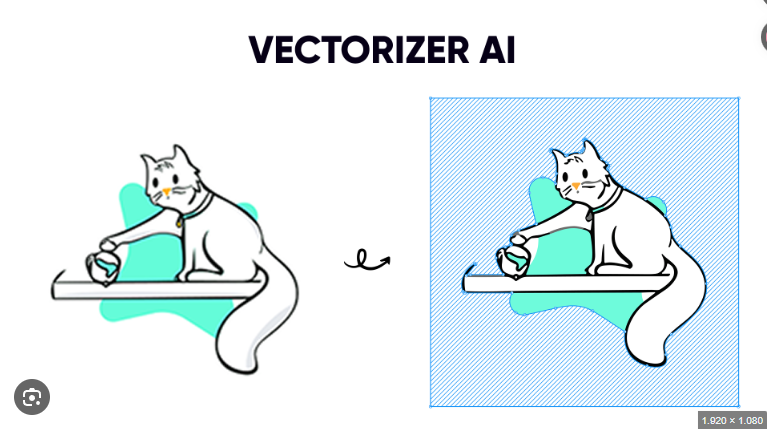
The standout feature explored in this Vectorizer.ai Review 2026 is the proprietary Deep Vector Engine. Unlike traditional algorithms that simply “draw” lines over pixels, Vectorizer.ai uses deep learning to understand the intent behind an image. It identifies curves, sharp corners, and complex gradients, converting them into mathematically perfect paths. This makes it a superior solution for anyone looking to convert PNG to SVG online without the jagged edges common in older tracing tools.
Workflow Efficiency for Print and Design
For professionals, time is the ultimate currency. Vectorizer.ai automates what used to be hours of tedious pen-tool work in seconds. It is particularly effective for:
-
Logo Restoration: Reviving old, low-res brand assets for modern use.
-
Print-on-Demand: Preparing artwork for banners, apparel, and packaging.
-
Technical Manufacturing: Creating clean DXF or SVG files for CNC, laser engraving, and embroidery machines.
Pricing and the 2026 Subscription Model
A significant shift noted in this Vectorizer.ai Review 2026 is the transition from its beta “free” phase to a structured subscription. As of early 2026, the platform typically offers an Unlimited Web App plan for $9.99/month. This allows for unlimited manual uploads and downloads. For developers and businesses requiring high-volume automation, API credits are available starting at roughly $0.20 per image, with costs scaling down for larger batches. While the “paywall” may deter casual users, the quality of the output often justifies the cost for active designers.
✅ Pros of Vectorizer.ai
-
Exceptional Accuracy: Handles complex color transitions and fine details better than most AI vector tracing software.
-
No Software Bloat: Entirely browser-based; no need to install heavy desktop applications.
-
Multi-Format Support: Exports to SVG, EPS, PDF, and DXF for broad compatibility.

❌ Cons of Vectorizer.ai
-
Subscription Only: No “pay-as-you-go” option for the web app; it’s a monthly commitment.
-
Limited Manual Refinement: While the AI is great, you cannot manually move individual anchor points within the platform before downloading.
-
Internet Dependency: High-resolution uploads require a stable connection.
🔒 Safety and Security Standards
Is your proprietary artwork safe? Vectorizer.ai utilizes secure HTTPS encryption for all transfers. While the platform is a legitimate, widely used service in the design community, those working with highly sensitive or “top secret” government-level assets should always review cloud-upload policies. For general commercial and personal design, it remains a gold standard for safety and reliability.
⭐ Overall Rating: 4.2/5
⭐⭐⭐⭐☆ (4.2 out of 5 stars)
Vectorizer.ai earns a strong rating for its speed, accuracy, and ease of use. It is one of the best tools available for quick image-to-vector conversion.
However, limitations in manual control and pricing prevent it from being a complete replacement for professional design software.
🧠 Final Verdict
Vectorizer.ai scores a 4.2/5. It is arguably the best image to vector AI for speed and cleanliness. While professional illustrators will still need a tool like Illustrator for final manual tweaks, Vectorizer.ai does 95% of the heavy lifting. If your workflow involves constant raster-to-vector conversion, the $9.99/month investment will likely pay for itself in hours saved during the first week.