❌ Cons of Vectormagic
At the same time, the platform definitely shows its age in certain areas.
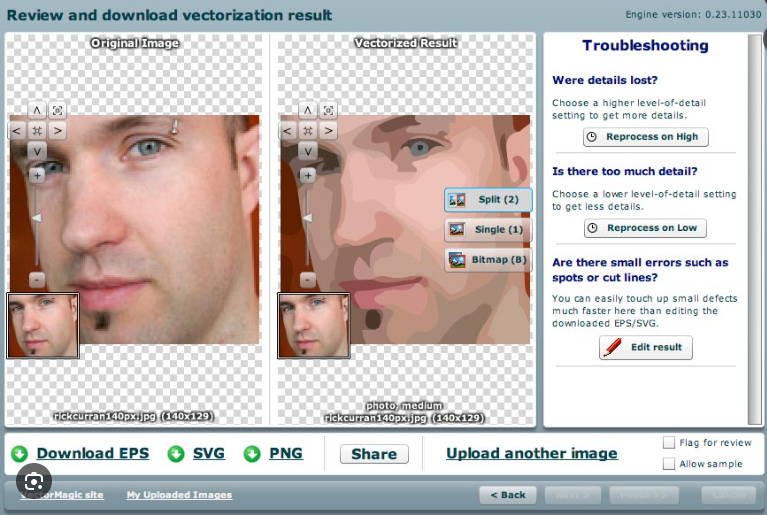
Compared to modern AI design tools, Vector Magic feels slower, less polished, and less flexible in terms of pricing. One of the biggest frustrations users mention in a Vectormagic review is the payment experience itself.
The platform allows image uploads and previews before revealing that exporting usable files requires payment. Technically this is not misleading, but it still creates frustration for first-time users expecting at least a limited free export option.
The interface also lacks the simplicity and speed found in many newer AI-powered creative tools.
While Vectormagic.com is technically strong, it has several drawbacks that are frequently mentioned by users.
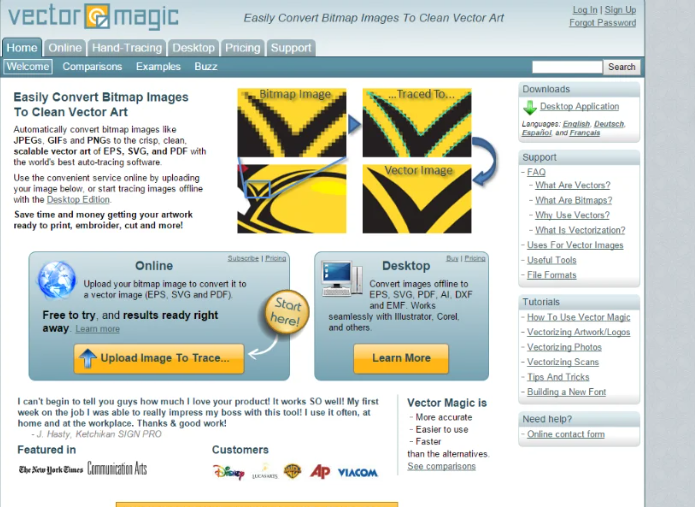
The biggest issue is pricing transparency. The platform allows users to upload and process images for free, but only reveals the cost when attempting to download the final file. This creates a “bait-and-pay” feeling for many first-time users and is one of the most criticized aspects of the service.
Another limitation is the lack of a true free plan. Unlike some competitors that allow limited free downloads, Vector Magic requires payment for any usable output. This makes it less appealing for casual users or those who only need occasional conversions.
Pricing itself can also be a concern. Whether using the subscription model or desktop version, the cost may feel high compared to newer AI tools, especially considering that some alternatives offer similar or better results with more flexible pricing.
There are also complaints about user experience (UX). While the guided workflow is helpful, the interface feels somewhat outdated compared to modern AI platforms. It lacks the speed and simplicity that newer tools provide.
Customer feedback highlights another weak point: refunds and billing issues. Some users report difficulty canceling subscriptions or getting refunds, which can reduce trust in the platform.
In terms of performance, Vectormagic still struggles with complex or low-quality images. While it performs well on clean graphics, detailed photos or noisy images can result in messy vectors that require manual cleanup.
Lastly, although the desktop version is a plus, it requires installation and payment upfront, which may not appeal to users looking for quick, flexible online solutions.
🔒 Is Vectormagic Safe?
From a legitimacy standpoint, there are very few concerns about the platform itself. Vector Magic has existed for years and is widely recognized in design and print communities.
The bigger issue is not security — it is user perception. Some users feel the subscription model and export limitations are communicated too late in the process, which can create trust issues even though the service itself works properly.
For businesses handling private artwork or commercial client assets, the desktop version is usually the safer and more practical option since files remain local instead of being uploaded online.
From a security standpoint, Vectormagic.com is considered a safe and legitimate platform.
The website uses HTTPS encryption, ensuring that data transfers and payments are protected. It has also been online for many years, which adds credibility and reduces the likelihood of it being a scam.
However, safety is not just about security—it’s also about user trust and transparency.
While the service itself works as advertised, the pricing experience has caused trust issues among users. The lack of upfront clarity can lead to frustration, even though the platform is not fraudulent.
Another consideration is data privacy. The online version requires users to upload images to the server. While there are no major reports of misuse, professionals working with sensitive files may prefer the desktop version for better control.
In terms of reliability:
- ✅ Secure payments and legitimate service
- ⚠️ Transparency and user experience concerns
Overall, Vectormagic is safe to use, but users should be aware of how the pricing works before investing time into processing images.
⭐ Overall Rating: 3.2/5
⭐⭐⭐☆☆ (3.2 out of 5 stars)
Vectormagic scores well for output quality and reliability, but loses points due to pricing transparency issues and a somewhat outdated experience.
🧠 Final Verdict
After testing different conversion scenarios, this Vectormagic review shows that the software still performs best when working with logos, clean graphics, and production-focused vector files.
It may not be the fastest or most modern-looking platform anymore, but Vector Magic continues to deliver reliable tracing quality in situations where precision matters more than flashy AI features.
This Vectormagic review shows that the platform is a technically strong but slightly outdated tool in today’s AI-driven landscape.
It is best suited for:
- Users needing high-quality vector output
- Designers working with clean logos or graphics
- Professionals who prefer offline desktop tools
However, it may not be ideal for:
- Beginners expecting free or cheap tools
- Users who prioritize modern UI and speed
- People who dislike unclear pricing models
👉 Final advice:
Vectormagic still delivers reliable results, but newer tools may offer a better balance of pricing, usability, and AI capabilities.