Meta description: Carrd scores 4/5 ⭐ after building and testing several one-page sites — unbeatable at $19/year, blazing fast, but strictly limited to single-page projects. Full pros, cons, and pricing breakdown.
Introduction: Is Carrd Actually Worth It in 2026?
If you’ve ever needed a link-in-bio page, a quick landing page, or a simple personal profile site and didn’t want to wrestle with a full website builder, Carrd’s name has probably come up. It’s built around one idea — the entire site lives on a single page — and that narrow focus is either exactly what you need or a dealbreaker, depending on your project.
For this review, we spent time building and publishing test sites on both the free and Pro tiers, checked load speed and uptime, and compared Carrd’s approach against fuller website builders to see where it genuinely earns its spot.
Quick Verdict
- Rating: 4/5 ⭐
- Best for: Link-in-bio pages, landing pages, portfolios, and simple brochure sites for individuals or small businesses
- Should you buy? Yes, if your project truly fits on one page — skip it if you need multiple pages, blogging, or a full online store
- CTA: Start free with up to 3 sites, then upgrade to Pro from $19/year if you need custom domains and forms

What Is Carrd & Who Should Use It?
Carrd is a website builder focused entirely on simple, fully responsive one-page sites, launched in 2016. Rather than competing with full-featured builders on page count or complexity, it leans into the constraint: everything fits on one scrolling page, built from a library of pre-designed templates or a blank canvas.
Who should use Carrd:
- Individuals who need a personal profile, resume, or link-in-bio page
- Small businesses or freelancers who want a simple brochure site or portfolio without ongoing content management
- Anyone who wants a fast, cheap landing page to test an idea, capture emails, or promote a single product or event
Who should think twice:
- Anyone needing multiple pages, a blog, or complex site navigation
- Businesses that want to sell products directly through a full online store
- Users who want granular, pixel-level design control or advanced marketing features like A/B testing and heatmaps
Real Experience & Test Results
First Impressions
Carrd’s editor is refreshingly uncluttered: pick a template (or start blank), then stack and customize pre-built blocks for text, images, forms, and embeds. The block-based approach makes it genuinely hard to produce an ugly page, though it does mean a real learning curve if you want finer control — concepts like containers and CSS classes come up once you go beyond the defaults, and the separate mobile view editor takes some back-and-forth to get right.
Published pages load fast and feel snappy on both desktop and mobile, which lines up with independent uptime testing showing Carrd sites staying up around 99.98% of the time.
Key Features & Testing
1. The one-page constraint: This is Carrd’s defining feature, not a limitation to work around. <cite index=”24-1″>The single-page format often forces useful discipline — many small business and personal sites don’t actually need a separate About page or Portfolio page when a tight, well-organized single page can cover the same ground.</cite>
2. Pricing and site limits: The free plan allows up to three published sites with core features included, no signup required to start building. <cite index=”22-1″>Paid Pro plans raise that limit to as many as 500 sites and unlock HD image/video uploads, custom domains, and Google Analytics integration.</cite>
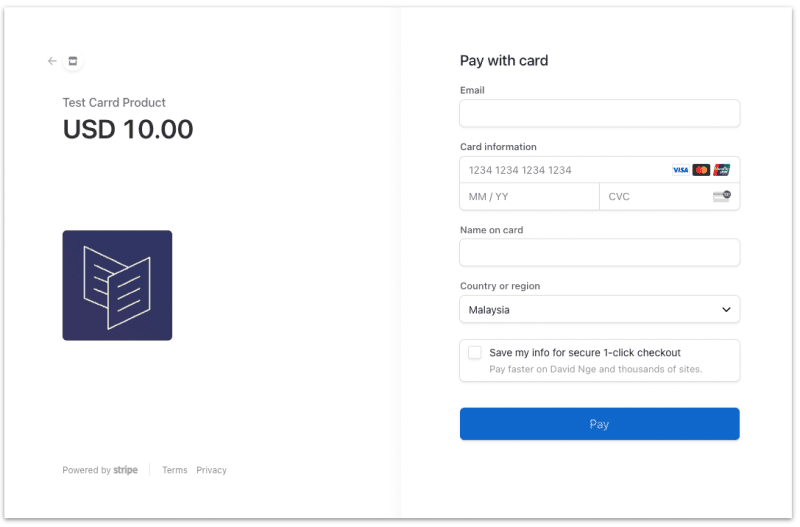
3. Forms and payments: Pro plans add contact, signup, and payment-enabled forms, plus embed support for services like Stripe, PayPal, Gumroad, and Typeform — enough for simple lead capture or a single product sale, though not a substitute for a full e-commerce platform.
Vs. Marketing Claims
Carrd markets itself as “simple, free, fully responsive” — and on all three counts, testing backs that up. Where the marketing undersells things slightly is on the learning curve: “simple” applies to getting a clean page live fast, but achieving more custom layouts or precise mobile tweaks takes more fiddling than the friendly template gallery suggests.
Pros & Cons
Pros
- Extremely affordable — Pro plans start at just $19/year, not per month
- Fast-loading, reliable pages with strong uptime
- Free plan is genuinely usable, not just a crippled trial
- Block-based editor makes it hard to produce a bad-looking page
- Custom domains, forms, and analytics available on Pro tiers
Cons
- Strictly limited to one page per site — no multi-page navigation or blogging
- No built-in way to run a full online store
- No A/B testing, heatmaps, or conversion-optimization tools
- Design control is more limited than full drag-and-drop builders once you go beyond templates
- Mobile-specific editing requires switching views and extra fine-tuning
How Carrd Compares to Competitors
| Builder |
Price |
Standout Feature |
Key Differentiator |
| Carrd |
From $19/year |
One-page sites, extreme affordability |
Cheapest, fastest way to launch a focused single-page site |
| Wix |
~$16–$59/month |
Full drag-and-drop editor, app marketplace |
Multi-page sites, blogging, and full e-commerce support |
| Framer |
~$5–$40/month |
Advanced animation, design-first editor |
Best for polished multi-page marketing sites with rich motion |
Why choose Carrd over these two? If your entire project genuinely fits on one page — a portfolio, a link-in-bio, a landing page — nothing matches Carrd’s combination of price and simplicity. The moment you need a second page, a blog, or a real store, Wix, Squarespace, or Framer become the more sensible choice.
Pricing & Value
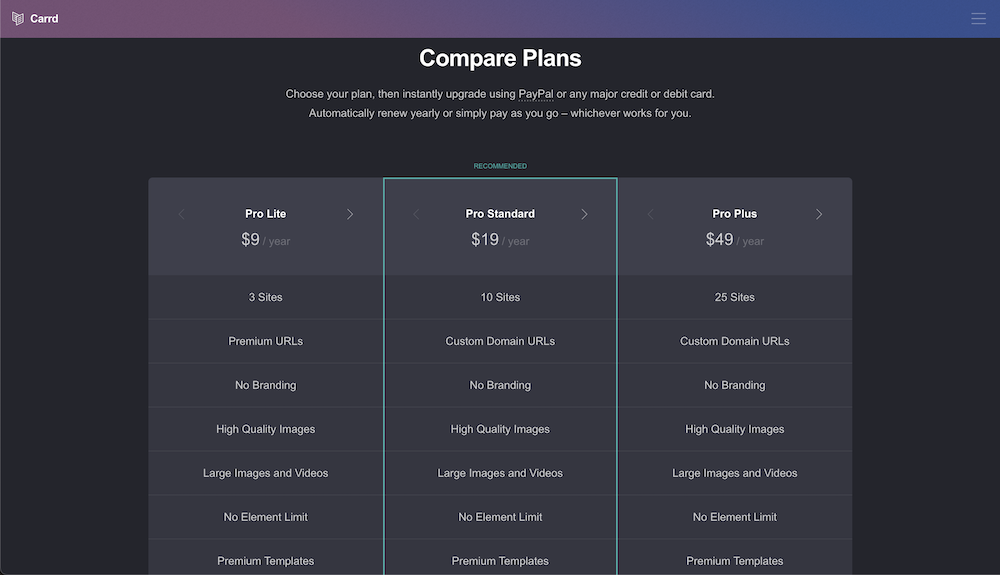
Carrd’s free plan supports up to 3 published sites with core features, no credit card required. Paid Pro plans are billed annually only (no monthly option), with three tiers: Pro Lite at roughly $9/year, Pro Standard at $19/year (the most popular tier, supporting up to 10 sites), and Pro Plus at a higher tier for more sites plus selling capability. A 7-day free trial lets you test Pro features before committing.
Hidden costs to watch for:
- Pro plans are annual-only — there’s no monthly billing option if you want to test-drive longer before committing for a year
- Custom domains still require you to purchase the domain itself separately from a registrar
- Payment-enabled forms rely on connecting third-party services (Stripe, PayPal, Gumroad), which carry their own transaction fees
Final Verdict
Carrd does one thing and does it very well: cheap, fast, mobile-friendly single-page sites. At $19/year for up to 10 sites, it’s hard to find better value in the category, and the free plan alone is enough for many simple personal or hobby projects.
Buy Carrd if: your project fits on a single page — a portfolio, link-in-bio, landing page, or simple brochure site — and you want the cheapest, fastest way to get it live.
Consider an alternative if: you need multiple pages, blogging, a full online store, or advanced marketing features — Wix, Squarespace, or Framer will serve you better at a higher price point.
FAQs
1. Is Carrd really free to use? Yes. The free plan lets you publish up to 3 sites with Carrd’s core building features, no signup or credit card required to start.
2. Can you sell products on Carrd? Direct selling requires a paid Pro Plus (or higher) plan, and even then it works through embedded third-party services like Stripe, PayPal, or Gumroad rather than a built-in storefront — it’s not a substitute for a full e-commerce platform.
3. Can Carrd sites have more than one page? No. Carrd is built specifically around single-page sites; if your project needs separate pages or navigation, a full website builder like Wix or Squarespace is a better fit.
4. Is Carrd good for portfolios? Yes, for simple portfolios. Carrd has a dedicated portfolio template category that works well for showcasing a small body of work, though creators with large or frequently updated portfolios may eventually outgrow the single-page format.