Meta description: Podsqueeze scores 4/5 ⭐ after testing its AI transcription, show notes, clip generation, and audio enhancement against real podcast workflows. Full breakdown of features, pricing, and value before you subscribe.
Introduction: Can One Tool Really Replace an Entire Podcast Production Team?
Turning a single recorded episode into a transcript, show notes, blog post, newsletter, social clips, and audiograms used to mean either hiring a small production team or spending hours doing it all manually. Podsqueeze’s pitch is that AI can now handle that entire pipeline from one audio or video upload, and with over 70,000 creators reportedly using the platform, it’s become one of the more established names in the podcast repurposing space. This review looks at whether the output quality actually holds up across that many different content types.
We went through Podsqueeze’s transcription accuracy, show notes generation, clip-making tools, and audio enhancement directly, then cross-referenced our findings against independent reviews and testimonials from podcast professionals and agencies.
Quick Verdict
- Rating: 4/5 ⭐
- Best for: Solo podcasters, podcast managers, and agencies who want to automate transcripts, show notes, and social repurposing from one platform
- Should you use it? Yes — the free tier makes it low-risk to test, and the output quality across content types is genuinely strong
- CTA: Generate your first episode’s content for free before choosing a paid tier
What Is Podsqueeze & Who Should Use It?
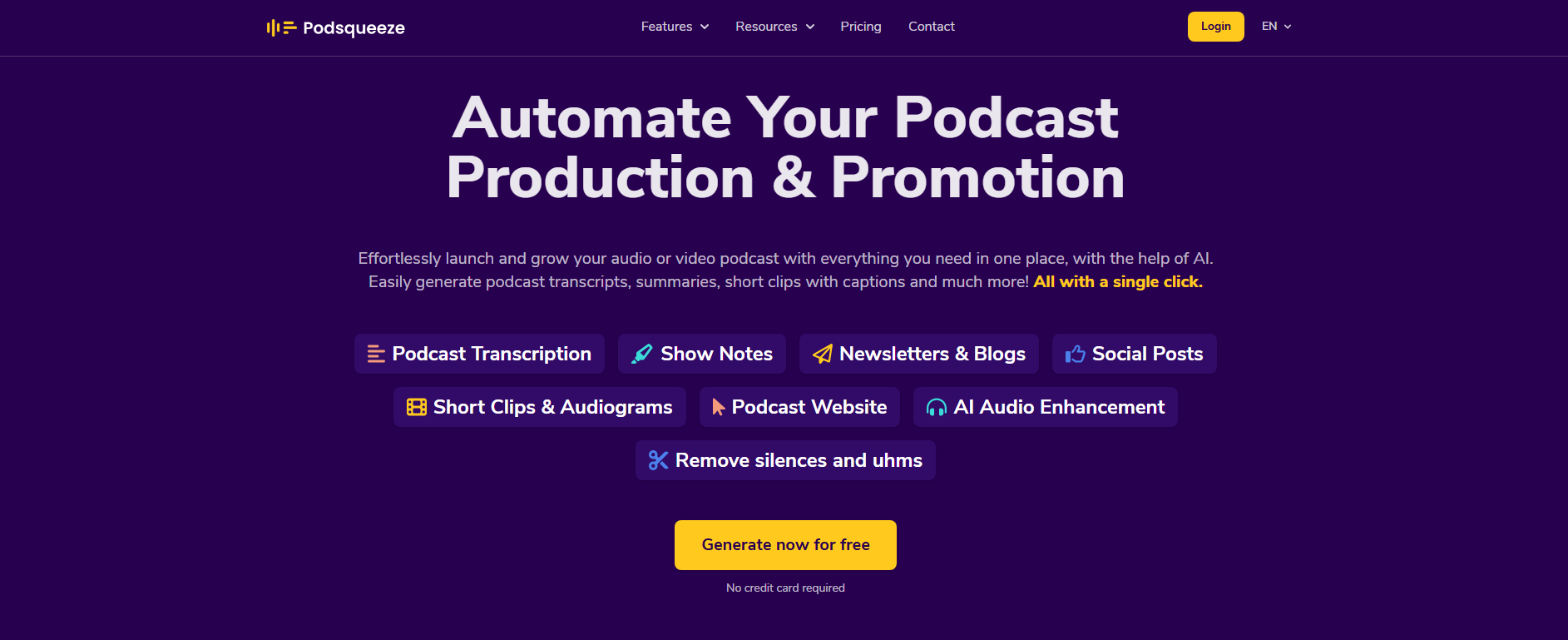
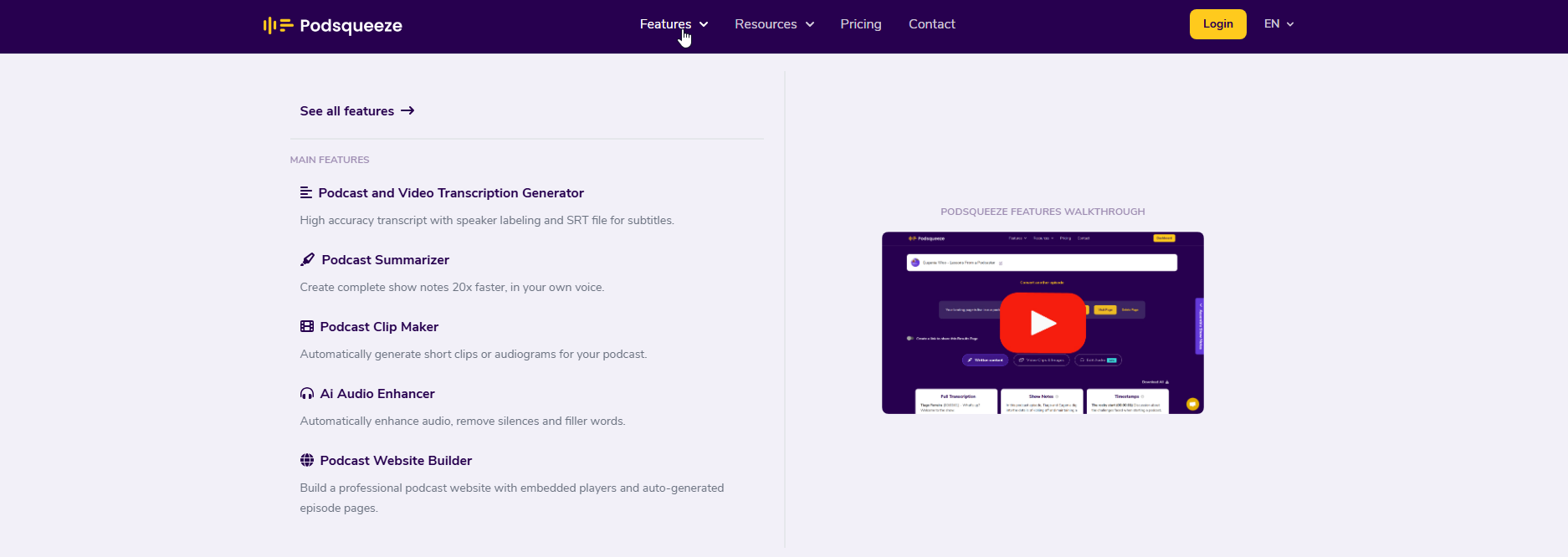
Podsqueeze is an AI-powered podcast production and promotion platform that converts a single audio or video upload into transcripts, show notes, blog posts, newsletters, social media posts, short-form clips, and audiograms, plus AI audio enhancement to remove filler words and background noise. It also includes a podcast website builder with an interactive episode player.
Who should use Podsqueeze:
- Solo podcasters who want to save significant time on post-production content tasks without hiring extra help
- Podcast managers and agencies handling multiple shows who need per-show voice tuning and organized folders for each client
- Creators who want to repurpose long-form audio or video into short-form clips for TikTok, Instagram Reels, and YouTube Shorts without manual editing
Who should think twice:
- Extremely high-volume networks needing far more than 30 episodes/month on a single plan, who may need custom enterprise pricing
- Podcasters who want fully manual, hands-on control over every piece of generated content rather than an AI-first workflow with editing on top
- Anyone expecting the audio enhancement feature to fully replace professional studio recording quality rather than improving a decent home setup
Real Experience & Test Results
First Impressions
Podsqueeze’s dashboard organizes around a simple core action: select an episode from your RSS feed or upload a file, and let the AI generate the full content package. The interface groups outputs logically — transcripts, show notes, blog/newsletter, social posts, and clips — and podcast folders help multi-show managers keep client content separate and organized.
Key Features & Testing
1. Transcription and content generation quality: Independent testing across a range of AI transcription tools found Podsqueeze generated the most useful outputs specifically for show notes, timestamps, titles, mentions, sample blog posts, and key quotes compared to competing tools tested in the same evaluation — a meaningful endorsement given it comes from a working podcast platform co-founder rather than the vendor itself.
2. Clip and audiogram generation: The one-click short feature automatically shortens each chapter of an episode to under 60 seconds for TikTok/Shorts-style posting, and the text-based editor lets creators fine-tune clips directly from the subtitles rather than scrubbing through a timeline manually — a genuinely time-saving approach to short-form repurposing.
3. Custom AI voice tuning for agencies: A podcast production agency specifically highlighted Podsqueeze’s ability to save custom prompts per show, keeping each client’s content voice consistent episode after episode, and described it as an “elite feature” they couldn’t find in other tools they’d tried.
Vs. Marketing Claims
Podsqueeze markets itself around saving “up to 100% of manual work” and repurposing content “20x faster,” and the core workflow — one upload producing a full content package — genuinely delivers on the speed and breadth of that promise based on independent tester feedback. Where buyers should stay realistic is that “100% of manual work” doesn’t mean zero editing; most reviewers still recommend a human pass over AI-generated show notes, blog posts, and clip selections before publishing, especially for brand voice consistency and factual accuracy.
Pros & Cons
Pros
- Single upload generates a full content package: transcripts, show notes, blog, newsletter, social posts, and clips
- Independently rated as producing the most useful outputs among competing AI transcription tools tested in one comparison
- One-click short-form clip generation with a text-based editor for fine-tuning
- Per-show custom AI voice/prompt tuning, valuable for agencies managing multiple podcast clients
- Free tier available with no credit card required to test the platform first
Cons
- Reported pricing varies somewhat between monthly and annual billing sources — confirm current exact tier limits directly before subscribing
- AI-generated content across all formats still benefits from a human editing pass, not fully “hands-off” despite the marketing framing
- Episode/audio-minute caps on lower tiers may require an upgrade sooner than expected for frequent publishers
- Audio enhancement improves recordings but isn’t a substitute for genuinely poor source audio quality
- Newer feature (podcast website builder) has less independent track record than the platform’s core transcription/repurposing tools
How Podsqueeze Compares to Competitors
| Tool |
Price |
Standout Feature |
Key Differentiator |
| Podsqueeze |
Free–$99+/mo |
Full content package from one upload, per-show voice tuning |
Best breadth of output types (transcripts to clips to newsletters) in one tool |
| Castmagic |
Varies |
Strong AI content templates |
Comparable focus on show notes/content generation |
| Descript |
Varies |
Text-based full audio/video editing |
Better if you want deep manual editing control, not just AI-generated outputs |
Why choose Podsqueeze over these two? If you want the broadest single-tool coverage — from transcripts to blog posts to short clips — with minimal manual setup, Podsqueeze’s all-in-one approach is hard to match. If you want deeper manual editing control over the audio/video itself rather than primarily AI-generated outputs, a tool like Descript may fit better as a complement or alternative.
Pricing & Value
Podsqueeze offers a usable free plan (roughly 50 audio minutes and 2 video clips/month, no credit card required), with paid tiers scaling by episode/audio-minute volume and features: entry-level plans start in the roughly $11–$19/month range (lower with annual billing), mid-tier plans with clips and audio enhancement in the $27–$39/month range, and agency-focused plans from around $41 up to roughly $99–$181/month depending on team size and volume needs. Annual billing generally applies about a 30% discount versus paying monthly.
Hidden costs to watch for:
- Confirm current exact pricing and included audio-minute/clip limits directly on Podsqueeze’s pricing page, since figures vary somewhat across third-party review sources
- Higher-volume agency plans are priced by episode count and user seats — model your actual monthly episode volume before choosing a tier
- Audio enhancement and clip features are gated to Pro tiers and above on some pricing structures, not included in the base Starter plan
Final Verdict
Podsqueeze delivers a genuinely broad, well-reviewed AI content pipeline for podcasters, turning a single upload into transcripts, show notes, blog content, newsletters, social posts, and short clips with meaningfully less manual work than doing it all separately. The free tier makes it easy to judge output quality for your specific show before committing to a paid plan, and the per-show voice tuning is a real differentiator for agencies managing multiple clients.
Use Podsqueeze if: you want to automate the bulk of podcast post-production content across formats from one platform.
Consider an alternative if: you specifically need deep manual audio/video editing control rather than primarily AI-generated content outputs.
FAQs
1. Is Podsqueeze free to try? Yes — the free plan includes a usable amount of audio transcription and video clips per month with no credit card required, letting you evaluate output quality before subscribing.
2. Can Podsqueeze transcribe YouTube videos, not just podcast audio? Yes — it supports both audio and video formats, including YouTube content, generating the same range of associated content (blogs, posts, clips) from either source.
3. Does Podsqueeze work for agencies managing multiple podcasts? Yes — podcast folders keep different shows organized, and per-show custom AI voice/prompt tuning helps maintain consistent brand voice across multiple client accounts, a feature specifically praised by agency users.
4. Do I still need to edit the AI-generated content before publishing? Most reviewers recommend a human review pass over AI-generated show notes, blog posts, and clip selections for brand voice and factual accuracy, even though the platform significantly reduces the initial manual workload.