Almost nobody starts a smart home by buying a hub. People buy the thing they can picture using – a camera for the porch, a sensor that tells them the garage is open – and only then discover there is an Aqara hub in the middle that everything has to talk to.
Aqara is unusually upfront about this. The store describes the hub as “the brain of your smart space, through which you connect and control all your devices”, and the sensor page opens by saying flatly that “these devices connect to your hub”. So the first real decision is which Aqara hub to buy, and that decision is cheaper and stranger than it looks once you put the price list next to the product list.
This review walks the current US store line by line: five hubs, four indoor cameras, twelve sensors, and the arithmetic that the Aqara store leaves for the reader to do.
What an Aqara hub actually does
The store answers this in its own words, and the answer is worth quoting because it sets the boundaries of what you are buying:
An Aqara Hub is the central controller of your smart home. It connects Aqara sensors and devices to your home network, enables automation, and allows integration with platforms like Apple Home, Alexa, and Google Home.
Three jobs, then. The Aqara hub bridges the low-power radio the sensors use to your ordinary home network. It runs the automations, so a door opening can switch on a light without a phone in the loop. And it is the piece that exposes everything to Apple Home, Alexa or Google Home.
That third job is the one people underrate. A sensor on its own is a battery and a radio; it has no idea your phone exists. The Aqara hub is what turns a drawer full of parts into something you can speak to.
The five Aqara hubs and what they cost
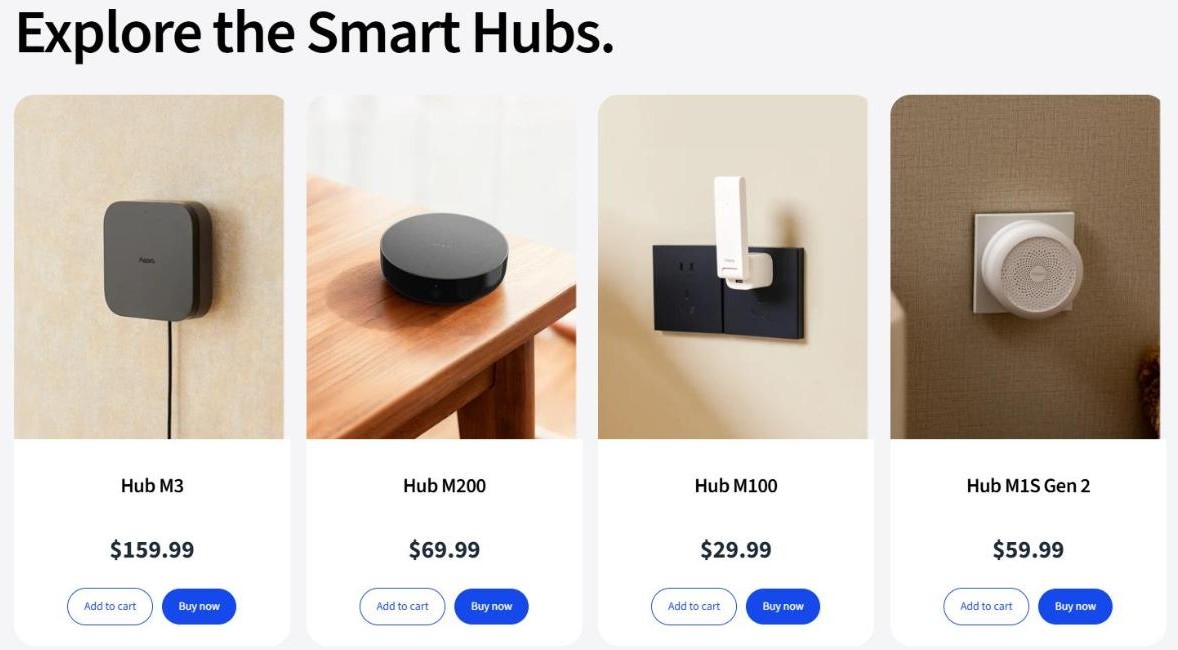
The Aqara hub collection currently lists five models. Prices below are as printed on the US store at the time of writing.
The hub collection on the US store (screenshot from us.aqara.com)
Model
Price
Status
Hub M3
$159.99
In stock
Hub M200
$69.99
In stock
Hub M1S Gen 2
$59.99
In stock
Hub M100
$29.99
In stock
Hub E1
$29.99
Sold out
The five hubs listed on the US store
Two things jump out of that column before you read a single spec. The entry pair, M100 and E1, sit at exactly the same $29.99. And the M1S Gen 2 at $59.99 is almost exactly double the M100 – $59.99 against $29.99 is a factor of 2.0003.
Where the Aqara hub range jumps in price
The gaps between the Aqara hub models are not even. From M100 to M1S Gen 2 you pay $30 more and the price doubles. From M1S Gen 2 to M200 you pay just $10 more. From M200 to M3 you pay $90 more, which is a jump of about 129 percent and more than the entire price of two M100s.
Step up
Extra cost
Increase
M100 $29.99 to M1S Gen 2 $59.99
$30.00
+100%
M1S Gen 2 $59.99 to M200 $69.99
$10.00
+17%
M200 $69.99 to M3 $159.99
$90.00
+129%
The price steps between the four in-stock hubs
The cheap step is the middle one. Ten dollars separates the M1S Gen 2 from the M200, which the Aqara hub guide itself puts in a higher recommendation tier. That is the smallest gap in the range and it crosses the biggest line in the advice.
Reading the Aqara hub buying guide closely
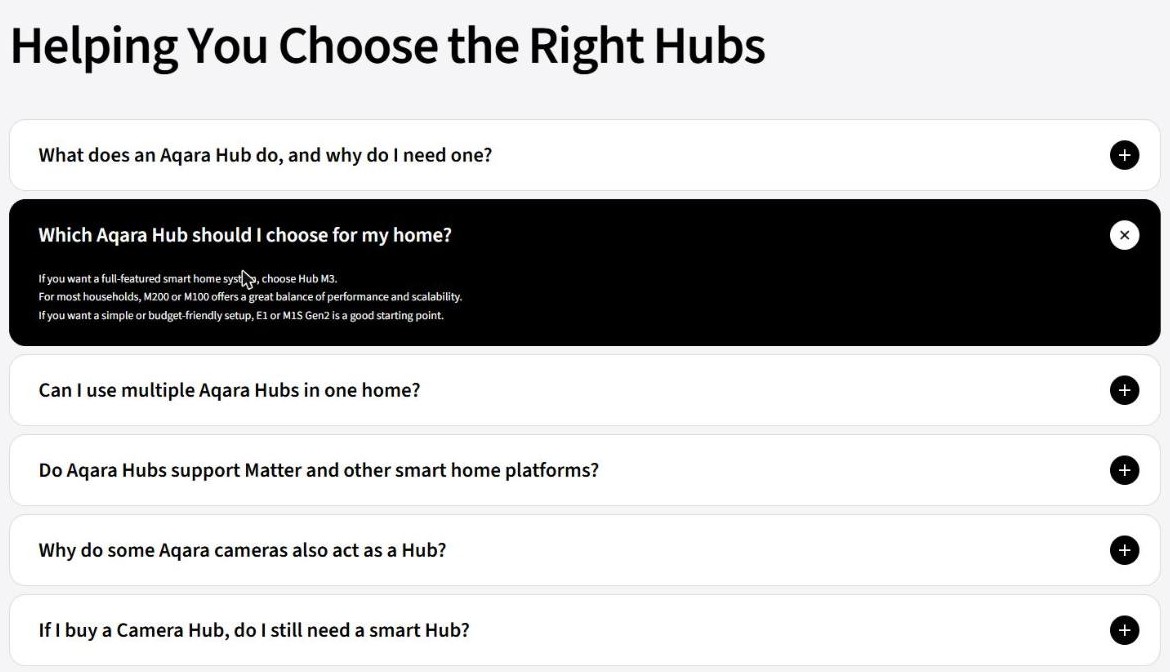
The Aqara hub collection page carries a short guide called “Helping You Choose the Right Hubs”. Its recommendation sits in three lines.
The buying guide on the hub collection page (screenshot from us.aqara.com)
Line by line, the Aqara hub guide says: choose Hub M3 “if you want a full-featured smart home system”; “for most households, M200 or M100 offers a great balance of performance and scalability”; and “if you want a simple or budget-friendly setup, E1 or M1S Gen2 is a good starting point”.
Put that against the price column and something odd falls out. The guide labels M1S Gen 2 as the budget-friendly starting point – but at $59.99 it costs exactly double the M100, which the same guide recommends for “most households”. The model marked as the cheap way in is twice the price of the model marked as the sensible default.
There is a reasonable Aqara hub explanation available – E1 and M1S Gen 2 are the older generation, and “simple” may be doing the work rather than “budget-friendly” – but the page does not say so, and a shopper reading the guide alongside the prices has no way to resolve it. It is recorded here as it reads, not resolved.
The practical Aqara hub takeaway is simpler than the guide: the M100 is both the cheapest in-stock model and one of the two the store recommends for most homes. Check the current hub prices before you let the guide talk you into a higher tier.
When a camera is also an Aqara hub
Several Aqara cameras have an Aqara hub built in and carry “Hub” in the name, and the store explains why:
Some Aqara cameras, such as Camera Hub models, are designed to double as a smart home hub… By combining two functions in one device, they help simplify your setup and reduce the need for an additional hub.
The follow-up Aqara hub question in the same guide asks whether you still need a separate hub if you buy a Camera Hub, and the answer is “In most cases, no additional hub is required if you are using a Camera Hub as your main device.”
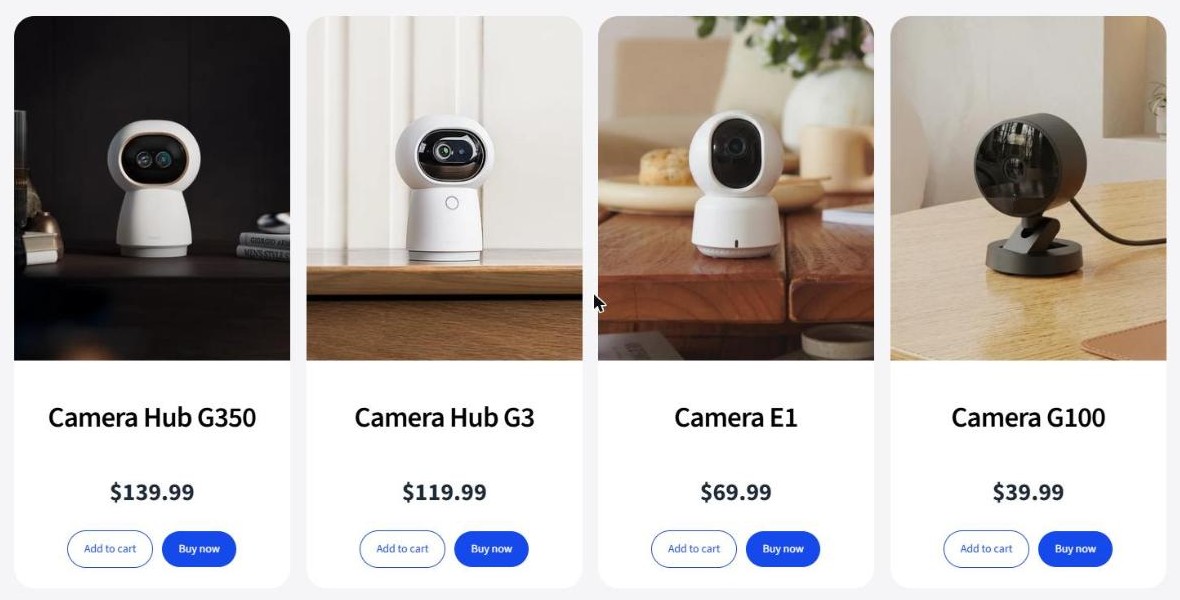
Indoor camera prices on the US store (screenshot from us.aqara.com)
So a camera that is also an Aqara hub replaces two purchases with one. The question nobody asks is whether the combined device is actually cheaper than the two it replaces.
Is a Camera Hub cheaper than a camera plus an Aqara hub
Here is the Aqara hub arithmetic, using nothing but prices printed on the same store on the same day.
Combined device
Price
Camera plus hub separately
Separate total
Difference
Camera Hub G3
$119.99
Camera E1 $69.99 + Hub M100 $29.99
$99.98
separate is $20.01 cheaper
Doorbell Camera Hub G410
$144.99
Doorbell Camera G400 $99.99 + Hub M100 $29.99
$129.98
separate is $15.01 cheaper
Camera Hub G350
$139.99
Camera E1 $69.99 + Hub M200 $69.99
$139.98
separate is $0.01 cheaper
Combined Camera Hub prices against buying a camera and a hub separately
In all three rows the separate camera and Aqara hub purchase costs the same or less. In the G3 row it is $20.01 less, which is two thirds of the price of the hub itself. And buying separately gives you two devices you can put in two different places, rather than one device that has to be where the camera needs to be.
None of this makes a camera with a built-in Aqara hub a bad buy. One power cable instead of two, one app entry instead of two, one thing to mount – that convenience is real, and the store sells it honestly as simplification rather than as a saving. The point is only that it is a convenience premium, not a discount, and the page never claims otherwise.
The one-cent coincidence
The sharpest Aqara hub number on the whole store is this one. The Camera E1 costs $69.99 on its own. The Camera G100 costs $39.99, and the Hub M100 costs $29.99.
Option
What you get
Total
Camera E1 alone
One camera, no hub
$69.99
Camera G100 + Hub M100
One camera and a hub for the whole house
$69.98
Two baskets on the same store, one cent apart
For one cent less, the second basket gives you a camera and the Aqara hub that every future sensor in the house will need. A reader can check that sum in under a minute, and it is the single best Aqara hub argument for not buying a camera first and worrying about the hub later.
The sensors an Aqara hub is bought for
An Aqara hub with nothing attached does nothing. The sensor collection an Aqara hub feeds is where the money actually goes over time, and it starts a long way below the price of the hub.
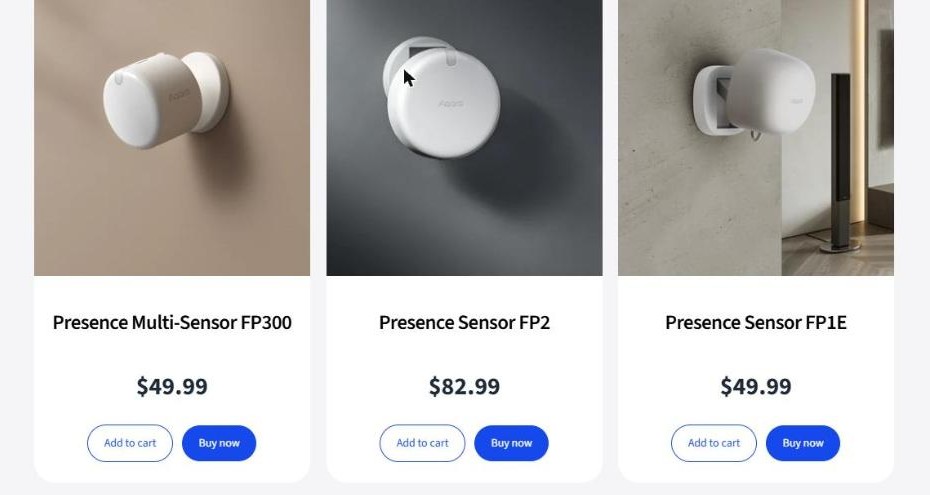
Presence sensors on the US store (screenshot from us.aqara.com)
Sensor
Price
Door and Window Sensor
$17.99
Water Leak Sensor
$18.99
Vibration Sensor
$18.99
Temperature and Humidity Sensor
$19.99
Motion Sensor P1
$22.99
Multi-State Sensor P100
$29.99
Door and Window Sensor P2
$29.99
Motion and Light Sensor P2
$33.99
Climate Sensor W100
$39.99
Presence Sensor FP1E
$49.99
Presence Multi-Sensor FP300
$49.99
Presence Sensor FP2
$82.99
The twelve sensors listed on the US store, cheapest first
Line that table up against the $29.99 hub and the shape of the system becomes clear: the cheapest Aqara hub costs as much as or more than seven of the twelve sensors. Five sensors are strictly cheaper than the brain, two cost exactly the same, and only five cost more. The brain is not the expensive part – it is roughly a mid-range sensor with a plug on it.
What the cheapest working Aqara hub setup costs
Because the entry Aqara hub is so cheap, a genuinely useful first Aqara hub system lands under $90.
Item
Price
What it covers
Hub M100
$29.99
The brain, plus Apple Home / Alexa / Google Home
Door and Window Sensor
$17.99
Front door or back gate
Motion Sensor P1
$22.99
Hallway or stairs light
Water Leak Sensor
$18.99
Under the sink or behind the washing machine
Total
$89.96
Four devices
A four-device starter system priced from the current store
That is less than the single Presence Sensor FP2 at $82.99 plus any Aqara hub at all, and it covers the three things people actually want on day one: did someone open the door, is anyone moving, and is the floor wet. Price the starter devices yourself – the four line items above are each a single product page.
Running more than one Aqara hub
Larger or awkwardly shaped homes often need more than one Aqara hub, and the store confirms this works rather than hedging:
Yes. Multiple hubs can be used together to extend, improve connectivity, or support different rooms and floors. They all work within the same Aqara Home ecosystem and can be managed in one app.
At $29.99 a unit, a second Aqara hub on another floor costs about as much as the sensor it is being added to reach. That is a materially different Aqara hub calculation from ecosystems where the bridge is the expensive component, and it is the strongest practical argument for the entry model: buy two cheap ones rather than one expensive one if your problem is coverage rather than capability.
Matter, Thread and the other platforms
Cross-platform support is the reason a lot of people choose an Aqara hub, and here the wording on the page deserves to be read exactly as written. The store says that “most newer Aqara Hubs support Matter and can integrate with Apple Home, Amazon Alexa, Google Home, and other ecosystems” – most, not all.
That single word matters when you are choosing between a current model and an older one still on the shelf, and the collection page does not say which models fall outside the “most”. The individual Aqara hub product page for whichever model you are considering is the place to confirm it, and the Matter standard itself is published by the Connectivity Standards Alliance if you want to check what the badge actually guarantees before you rely on it.
Worth knowing too: the store also runs a short blog explaining Matter over Thread and listing door locks and presence sensors that use it, so the brand is documenting the standard rather than just wearing the logo.
Aqara hub store returns, shipping and warranty
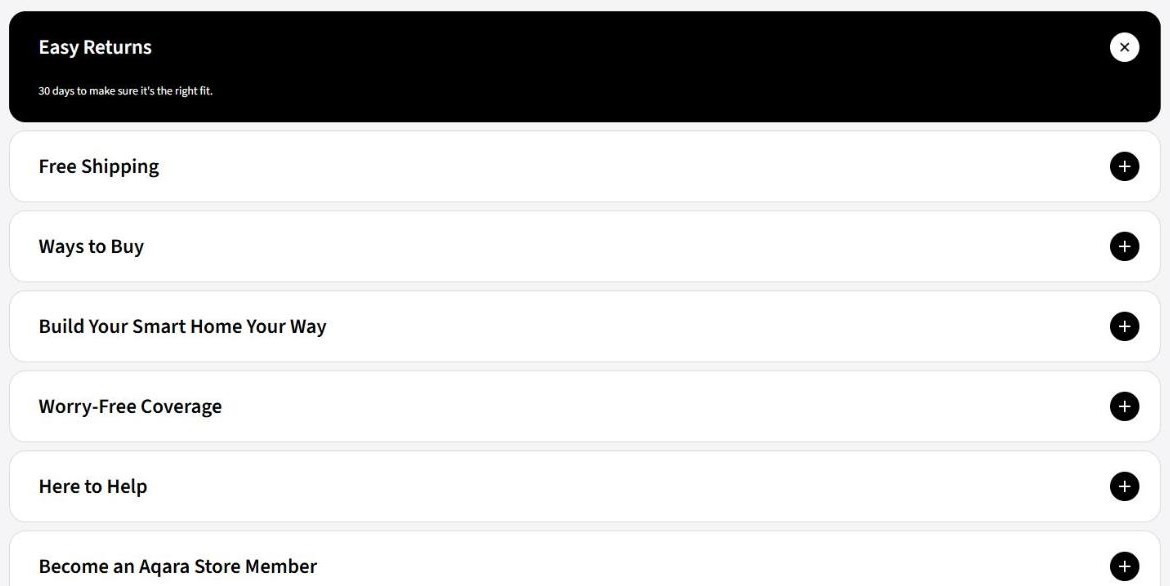
The commitments are listed at the foot of every collection page, in four short lines.
Store terms at the foot of a collection page (screenshot from us.aqara.com)
Easy Returns – “30 days to make sure it is the right fit.”
Free Shipping – “Complimentary delivery on eligible orders.” Note the qualifier: eligible, not all.
Worry-Free Coverage – “Protected by a one-year limited warranty.”
Ways to Buy – “Pay over time with interest-free installment options.”
Thirty days is the useful number here, because it is roughly how long it takes to find out whether a sensor sits where you thought it would and whether the automation you had in mind is actually worth having. A one-year limited warranty on hardware in this price band is ordinary rather than generous, which is worth knowing rather than worrying about on a $29.99 device.
Who this fits
Testing the water – Hub M100 at $29.99 plus one $17.99 door sensor is under $50 to find out whether you like any of this.
A normal house, built out over time – the store names M200 or M100 for “most households”, and the cheaper of the two is the one to start with.
A big or multi-floor home – two or three cheap bridges beat one expensive one, and the store explicitly supports running them together in one app.
Camera first, system later – the G100 plus M100 basket is a cent less than a bare Camera E1 and leaves you ready for sensors.
Everything at once – the M3 at $159.99 is the full-featured option the store names, and the one to pick if you would rather not revisit the decision.
The Aqara hub range fits least well the person who wants a sealed appliance with a subscription and a support line. The Aqara hub range is a component system: you choose the bridge, you choose the sensors, and the automations are yours to design.
How this review was done
This is a desk review of the Aqara hub range built from the US store as published – the hub, camera and sensor collection pages, the buying guide on the hub collection, and the terms printed at the foot of each page. Nothing was bought, installed or tested, so no claim is made here about range, battery life or how the automations behave in a real house.
Every price is quoted in US dollars exactly as shown, and every calculation above – the $20.01 gap, the one-cent basket, the $89.96 starter, the seven-of-twelve comparison – uses only those printed numbers and can be checked against the store in a couple of minutes.
The short version
The Aqara hub is the cheapest important decision in this system, and the Aqara hub store is honest enough to publish the numbers that prove it. At $29.99 the entry bridge costs the same as or less than seven of the twelve sensors it exists to serve, a second one for another floor is pocket change, and a four-device system that actually does something lands at $89.96.
Two things to read carefully before you buy an Aqara hub. The buying guide calls the $59.99 M1S Gen 2 the budget-friendly starting point while recommending the $29.99 M100 for most households, which is worth squaring against the price list yourself. And a Camera Hub is a convenience, not a saving – in every combination on the store today, buying the camera and the bridge separately costs the same or less.
The iPhone 18 no ports theory is suddenly everywhere. A video making the rounds on TikTok and social media appears to show something startling: an iPhone — labeled as the “iPhone 18” — charging through a small magnetic connector instead…
Hottest fashion trends 2026 reviewed honestly — which trending styles are actually wearable, which are overhyped, and what’s worth buying right now in the US market. Quick Verdict: 2026’s biggest fashion trends fall into two camps: genuinely wearable evolutions of…
PS5 Pro review 2026 — I tested it for 30 days. Here’s the honest verdict on performance, graphics, and whether upgrading from a standard PS5 is actually worth the money. Quick Verdict: The PS5 Pro is the most capable PlayStation…