A new Twitch channel looks exactly like every other new Twitch channel: a raw game capture, a webcam box with a default border, and nothing on screen that tells a passing viewer whose stream this is. OWN3D overlays exist to close that gap in an afternoon rather than over months of learning design software.
OWN3D is the shop half of an Austrian company that has been selling stream graphics since the mid-2010s, and OWN3D overlays are the product most streamers meet first. This review looks at the one-time-purchase side of the catalogue: what a package of OWN3D overlays actually contains, what it costs, which software it drops into, and what the licence lets you do with it afterwards. Everything below comes from OWN3D’s own product pages, store terms and legal notice.
What OWN3D overlays actually are
An overlay is the layer of graphics that sits on top of your game capture: the frame around your webcam, the labels showing your latest follower and subscriber, the “be right back” screen, the animated transition between scenes. OWN3D overlays are sold as themed design packages rather than single files, so every one of those pieces arrives already matched to the same visual style.
OWN3D’s own framing is a sports broadcast. Scores, team names, logos and lower thirds are laid over the live picture to make it readable at a glance, and a stream overlay does the same job for a channel. The practical consequence is identity: scroll any Twitch directory and the channels that look like a production rather than a webcam feed are the ones that get the click.
The shop organises OWN3D overlays by platform and by use: Twitch, Kick, YouTube and Facebook each have their own sections, as do Just Chatting, IRL and individual games such as Fortnite, Valorant, League of Legends and CS:GO. There are seasonal OWN3D overlays too, with Christmas, Halloween, Winter and Easter ranges.
What is inside an OWN3D overlays package
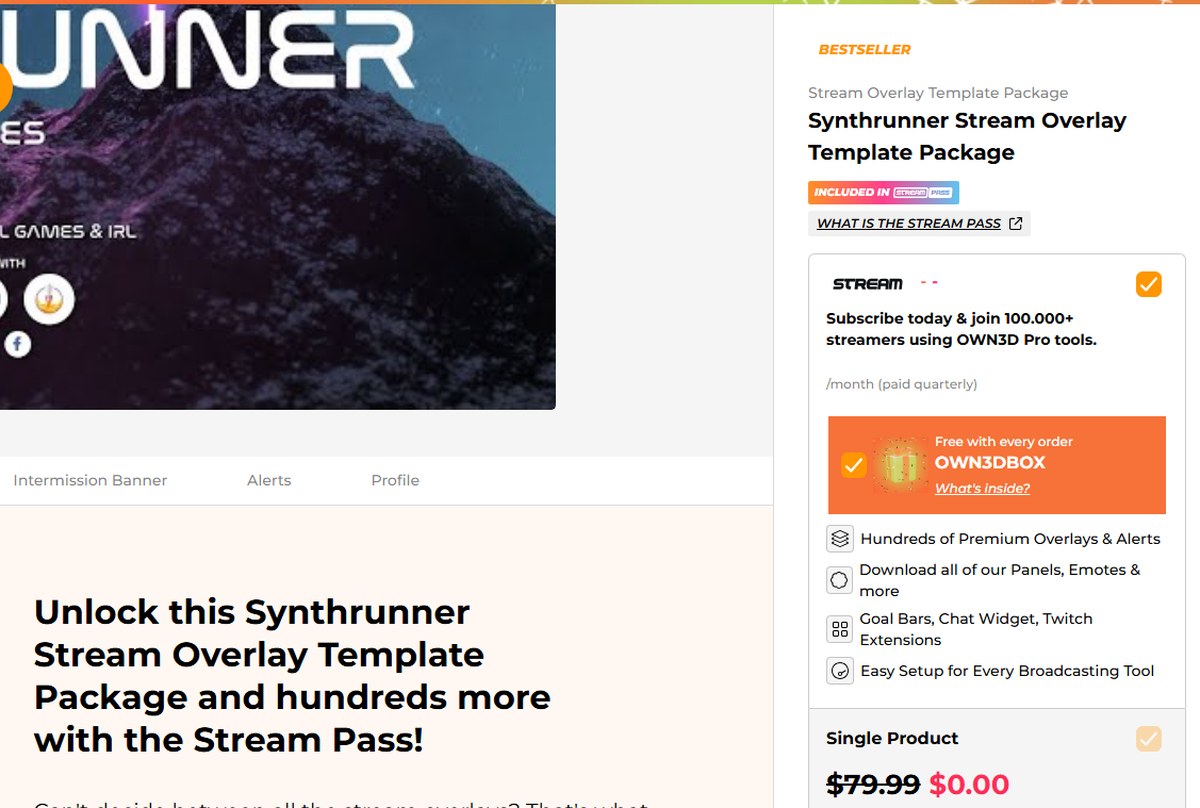
The purchase panel for a single OWN3D overlay package on the official store.
Take the Synthrunner Stream Overlay Template Package, one of the bestselling OWN3D overlays, as the worked example. OWN3D lists its contents as:
Overlays — a webcam overlay with labels, a webcam overlay without labels, a green-screen variant, a talking screen and scene transitions
Alerts — the animated notifications for new followers, subscribers, donations and cheers
Intermission banner — the starting soon, pause and stream ending screens
Profile designs — channel panels and matching social media icons
Matching sound — audio cues designed for the same theme
The labelled webcam overlay carries four labels for your latest follower, subscriber, donator and cheer, with a frame around the camera; the unlabelled version is there for streamers who prefer to put those readouts somewhere else on screen. OWN3D states the files are usable immediately after download and that static images and .PSD source files are included, which matters if you want to recolour anything or hand it to a designer later.
What OWN3D overlays cost
The list price for a single set of OWN3D overlays on the product page is $79.99, paid once, with no recurring charge attached to it. One note on consistency: the comparison table on OWN3D’s Stream Pass page quotes the same single-package route as $79.49 per overlay, slightly below the product page figure. Both numbers come from OWN3D, and the gap is small, but it is worth checking the basket total rather than assuming either figure.
OWN3D also runs periodic site-wide promotions with a countdown timer attached, so the price actually shown when you visit may be well below list. Treat the discount as a timing question rather than a permanent price, and treat $79.99 as the number to budget against.
Every order also includes an OWN3DBOX, a bundle of extra assets thrown in free with any purchase, and the OWN3D overlays you buy are not removed from the shop afterwards: the licence is non-exclusive, which is the normal arrangement for template design and the reason the price is where it is rather than at commission rates.
OWN3D sells the same designs two ways: a one-time purchase, or access to the whole library.
Platforms and software OWN3D overlays work with
This is the part that decides whether OWN3D overlays are useful to you at all, and OWN3D is unusually explicit about it. OWN3D overlays are built for OBS Studio, StreamElements and Streamlabs, which between them cover the overwhelming majority of streaming setups, and are listed as compatible with Twitch, YouTube, Facebook, Trovo and Kick.
Because OWN3D overlays are delivered as standard image, video and .PSD files rather than as a proprietary format, they are not locked to a particular broadcasting tool. OWN3D’s own promise on the product page is simply “works with all software and computers”, and the delivery method is what makes that credible: a .zip file of layers you add as sources in whatever software you already use.
The catalogue behind the shop
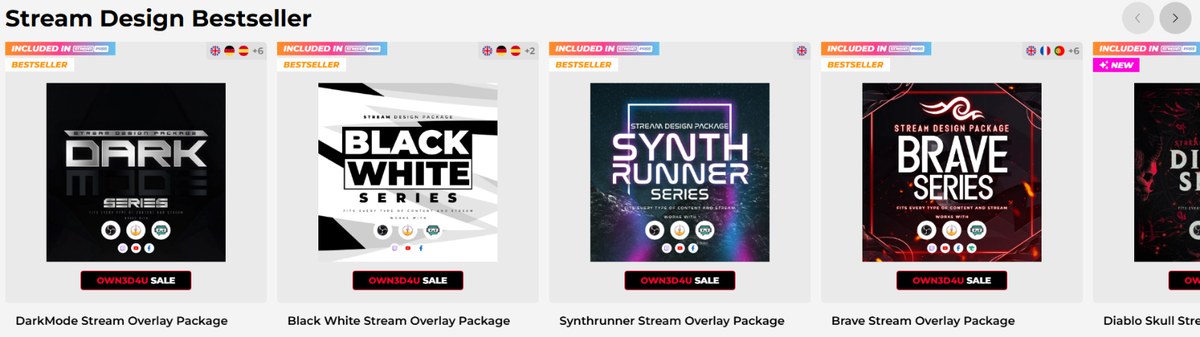
The bestseller row in the Twitch overlay section, each package sold as a complete themed set.
Scale is the other argument for buying OWN3D overlays rather than commissioning a designer. The Animated Twitch Overlays section alone reports 184 results, and the styles run from minimal dark layouts through neon synthwave to kawaii and horror themes. Every one of the OWN3D overlays is previewable in the store before purchase, and OWN3D makes a point of that transparency: every product has its own preview that you can test live in the shop, so what you see is what lands in the .zip.
If you stream a specific game, the game-specific sections are worth checking before the general ones, because a Valorant or Fortnite package will usually arrive with scene screens already worded for that game.
Setting up OWN3D overlays in under ten minutes
OWN3D ships a step-by-step setup guide with every set of OWN3D overlays and claims you can be running in under ten minutes. That number assumes you already have OBS or Streamlabs installed and know where the Sources panel is; the work itself is adding image and media sources in the right order and positioning them over your capture.
For anyone who has never done that, there is an OWN3D Academy course covering the setup of a stream overlay package, plus guides on OBS settings more generally, and 24/7 support listed on the product page. The combination is the real argument for a template package over a commission: the designer who made your custom overlay is not going to answer a message at two in the morning about scene ordering.
Beyond overlays: alerts, panels, emotes and badges
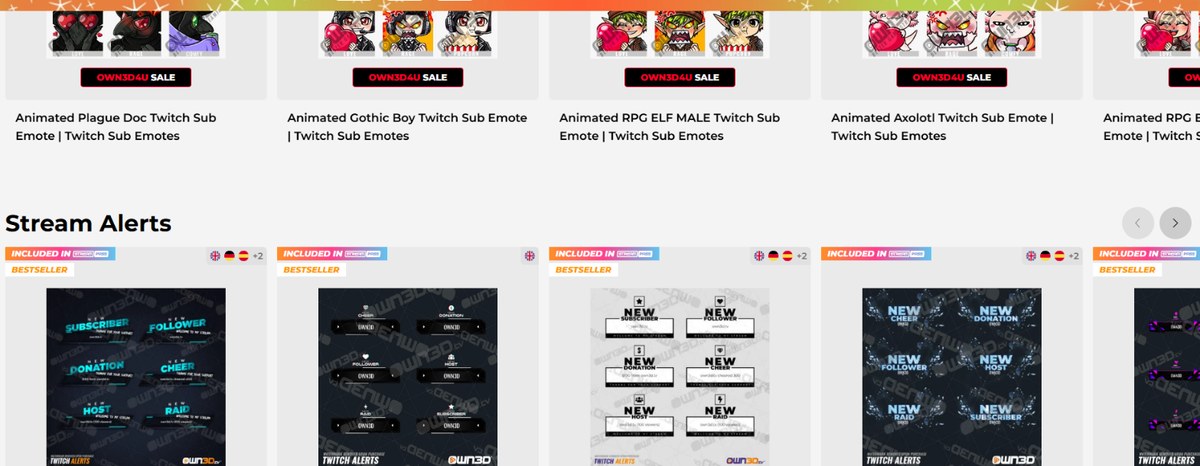
The shop extends well past overlays into emotes, alerts, panels and badges.
OWN3D overlays are the anchor product, but the shop carries the rest of a channel’s visual kit as separate purchases:
Alerts and alert sounds for Twitch, Kick, YouTube, Facebook and Trovo
Panels for the area under your Twitch, Kick or Trovo stream
Banners — profile banners, offline banners, starting soon, pause and stream ending screens, and talking screens
Emotes and emojis — Twitch, Kick and YouTube sub emotes plus Discord emojis, animated or static
Badges — sub badges, bit badges and channel points rewards
Webcam and facecam overlays, Stream Deck icons, OBS stinger transitions, Zoom backgrounds and desktop wallpapers
VTuber models and PNGTube avatars
There are also in-browser makers for emotes, badges, avatars and gaming logos, which matter if your theme is unusual enough that the catalogue does not cover it.
Stream Pass: the subscription alternative
Buying OWN3D overlays one package at a time is not the only route. The Stream Pass, part of the free OWN3D Pro tool, bundles access to the library for a monthly fee billed quarterly: OWN3D quotes 900+ overlays and alerts, an Overlay Maker with 12,000+ stream designs, 500+ alert designs and 50 AI credits a month, and the subscription renews automatically after three months with cancellation available at any time.
The honest way to frame the choice is arithmetic. If you want one look and intend to keep it for a year or more, the single package wins outright, and you own the files whatever happens to your subscription. If you plan to reskin your channel every few months or run seasonal themes, the pass costs less than three separate packages and comes with the setup tooling attached. The free tier of OWN3D Pro — chatbot, donation page, goal bars, countdown, chat widget and Twitch extensions — is available either way, including to people who never buy anything.
One caveat on the pricing display: on the public Stream Pass page the monthly figure renders as a blank next to “/month (paid quarterly)” rather than showing a number, so the subscription cost has to be checked at checkout rather than read off the marketing page.
The licence: what you may do with the designs
Section 3 of the terms covering OWN3D overlays is short and unusually readable, and it is worth knowing before you buy rather than after. The headline points:
You may use the purchased OWN3D overlays for personal or business purposes — a monetised channel is covered.
You are allowed to adapt the design or parts of it, which is what the included .PSD files are for.
You may not reuse it in other projects, other logos or your own templates.
You may not make it available for download or redistribute it in any form. Reselling is explicitly out.
The licence is non-exclusive: OWN3D overlays stay in the shop after you buy them, so other streamers can buy the same one.
That last point is the trade-off at the heart of every template marketplace. If an identical look on another channel would bother you, pick from the less obvious corners of the catalogue, or treat the .PSD files as a starting point and recolour.
Who makes OWN3D, and the purchase terms
The seller is StreamTV Media GmbH, registered at Grünmarkt 8, Stock 1, 4400 Steyr, Austria, with VAT number ATU73171845 and the Steyr Regional Court as its registering authority. That matters for two reasons: it is a named, locatable European company rather than an anonymous storefront, and EU consumer law applies to the transaction. If you want to know where you stand on digital purchases generally, the European Commission publishes the rules on guarantees for digital content and services.
Two terms to read before you click buy. Delivery is by email: after payment you receive the product as a .zip file, with a stated lead time of around one day after payment is received. And section 6 is explicit that because the goods are intangible and irrevocable, OWN3D does not grant refunds once the product has been delivered, with exceptions only where the product does not match its description, decided case by case, and with a two-week window for claims. Preview the package carefully in the store first — the live preview exists precisely because the sale is final.
On reputation, OWN3D displays a Trustpilot rating of Excellent across roughly 3,980 reviews in its site header, and states that 100,000+ streamers use OWN3D Pro tools. The Trustpilot figure is third-party and independently checkable; the user count is the company’s own.
Who OWN3D overlays suit
New streamers who need a complete look on day one and have no design skills. This is the core case, and it is a strong one.
Established channels doing a rebrand who want a coherent set rather than a patchwork of free assets.
Streamers who switch themes often, who should look at the Stream Pass rather than buying repeatedly.
Streamers on games with dedicated sections — Valorant, Fortnite, League of Legends, CS:GO — who get scene screens already worded for the game.
The streamer OWN3D overlays do not serve is the one who wants a look nobody else can have. A non-exclusive template is the opposite of that, and a commission is the right answer there.
The short version
OWN3D overlays are a complete channel identity in a .zip file: webcam frames, alerts, intermission screens, panels and matching sound, built for OBS, Streamlabs and StreamElements, and running across Twitch, Kick, YouTube, Facebook and Trovo. At $79.99 paid once, with .PSD files included and a licence that permits commercial use and editing, the value of OWN3D overlays against a custom commission is not close.
The things to go in knowing: the licence is non-exclusive, sales of digital goods are final once delivered, and the subscription route exists if one design will not be enough. If you stream regularly and your channel still looks like a default capture, a single overlay package is the cheapest upgrade in visible quality you can make.
The iPhone 18 no ports theory is suddenly everywhere. A video making the rounds on TikTok and social media appears to show something startling: an iPhone — labeled as the “iPhone 18” — charging through a small magnetic connector instead…
Hottest fashion trends 2026 reviewed honestly — which trending styles are actually wearable, which are overhyped, and what’s worth buying right now in the US market. Quick Verdict: 2026’s biggest fashion trends fall into two camps: genuinely wearable evolutions of…
PS5 Pro review 2026 — I tested it for 30 days. Here’s the honest verdict on performance, graphics, and whether upgrading from a standard PS5 is actually worth the money. Quick Verdict: The PS5 Pro is the most capable PlayStation…