Quick note on approach: This review is based on Wegic AI’s official website, pricing page, and public testimonials rather than a multi-week hands-on build, so treat feature claims below as reported and cross-checked, not independently verified over time.
IS WEGIC AI WORTH IT IF YOU JUST WANT TO CHAT YOUR WAY TO A WEBSITE?
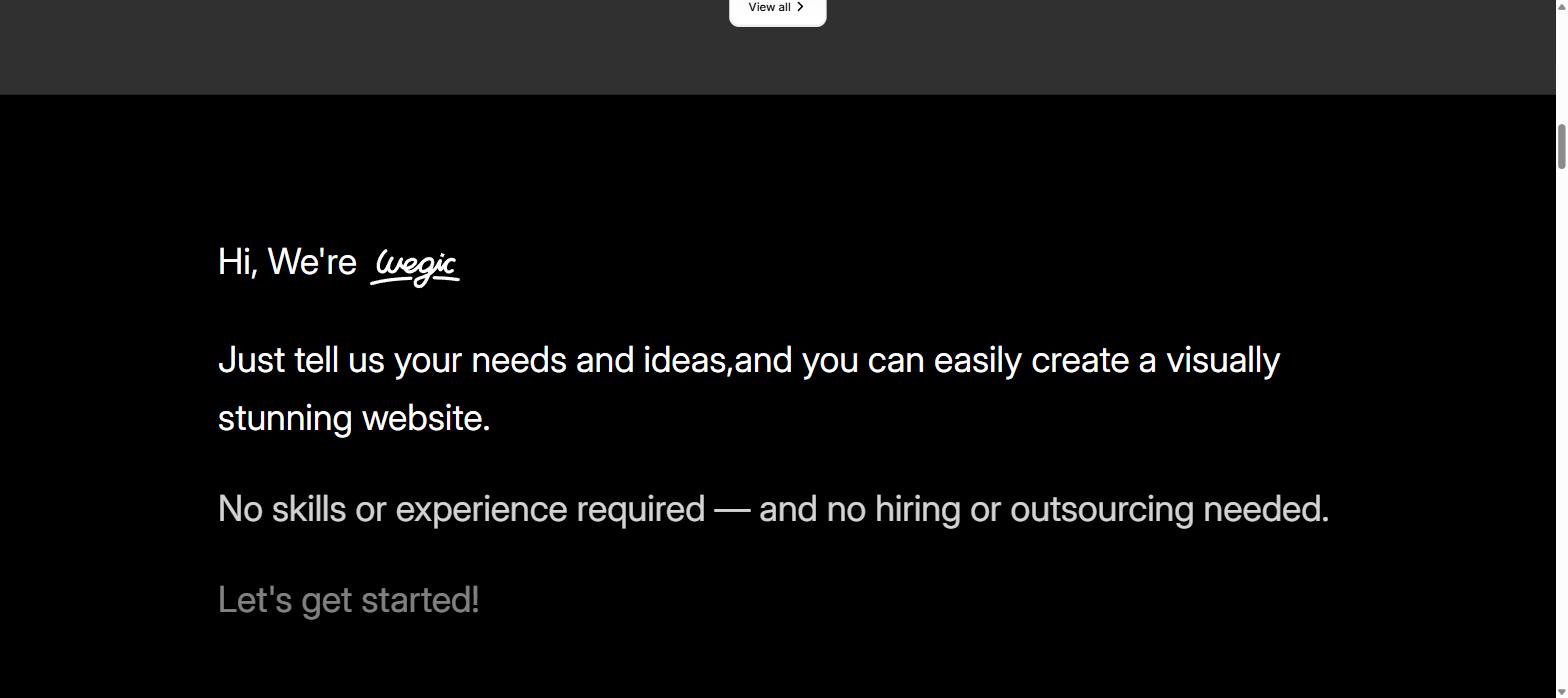
Wegic AI bills itself as “your AI website team,” an AI designer, developer, and manager rolled into one chat window, and its own site cites over 500,000 websites built across more than 230 countries and regions. That is a big claim in a crowded field of AI site builders that all promise a working website from a single prompt.
We reviewed Wegic’s published pricing tiers, its multi-niche template library, and public user testimonials directly from its site, then compared its plans against two well-known AI website builder competitors, Durable and 10Web, to see where the value actually sits.
QUICK VERDICT
Rating: 3.8/5 Best for: solo founders, small businesses, and creators who want a working multi-page website fast by chatting instead of dragging blocks around a page builder. Should you try it? Yes — start with Wegic AI’s free signup credits to test the chat-to-website flow before paying for a custom domain or code export.
WHAT IS WEGIC AI & WHO SHOULD USE IT
Wegic is a chat-based AI website builder: you describe the type of site you need, provide a name, pick a style and language, and it generates a multi-page site rather than a single landing page. Once a site exists, Wegic’s FAQ describes further “select & edit” tools directly on the page plus one-click publishing, so changes do not always require a fresh chat prompt.
Who this is a good fit for:
Non-technical founders who want to describe a business idea in a chat and get a live site without dragging and dropping blocks
Store, service, or agency owners who can start from Wegic’s template categories (Online Store, Portfolio, SaaS, Landing Page, Services, and more) instead of a blank canvas
Users comfortable with a credit-based system rather than a single flat unlimited plan
Who should think twice:
Anyone who needs a real custom domain on a budget, since a permanent connected domain is only listed on the Premium tier — Starter keeps you on a .wegic.net address
Heavy generators, since Wegic AI’s own Trial pack page warns that most generations end up costing over $10 in credits despite the $2.99 sticker price
Teams that don’t want unused credits to disappear, since Wegic’s FAQ confirms leftover monthly credits are cleared at the end of each billing cycle
REAL EXPERIENCE & WHAT THE PLATFORM ACTUALLY SHOWS
FIRST IMPRESSIONS
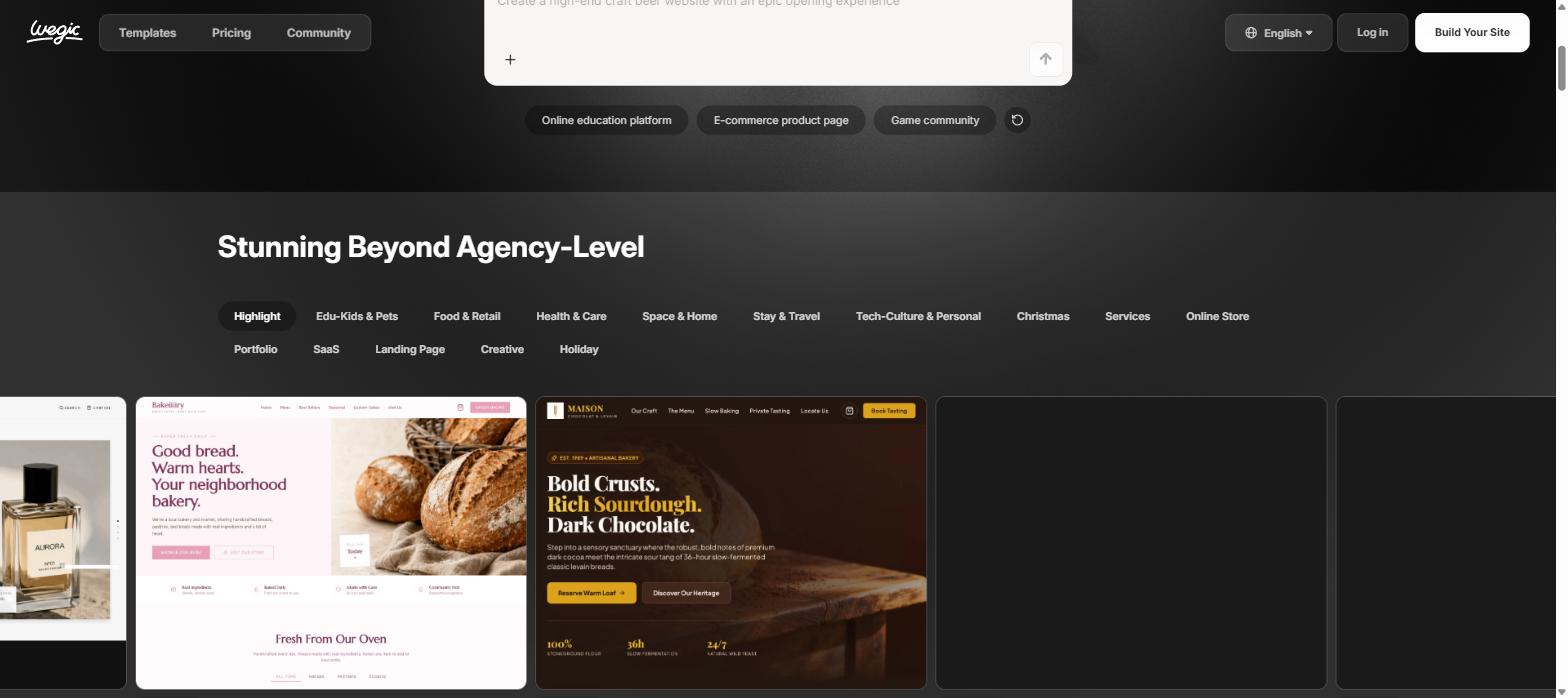
Wegic’s homepage leads with a single chat prompt and rotating example builds across niches — a gamified learning hub, a craft beer site, even a “futuristic clan headquarters” for a gaming community — which signals that the product is built around descriptive prompts rather than a traditional drag-and-drop grid. Quick-start buttons for an online education platform, an e-commerce product page, and a game community sit right under the prompt box, pushing new users straight into “chat to build” before any manual customization step.
KEY FEATURES & TESTING
Chat-to-website generation: describe the site, name, style, and language, and Wegic AI outputs a multi-page site rather than a single template swap, matching the “1 website generation” line shown against its subscription credits.
Multi-niche template library: the template gallery spans categories like Online Store, Portfolio, SaaS, Landing Page, Creative, and Holiday, plus niches such as Edu-Kids & Pets, Food & Retail, and Health & Care, which gives new users a real starting point instead of a blank prompt.
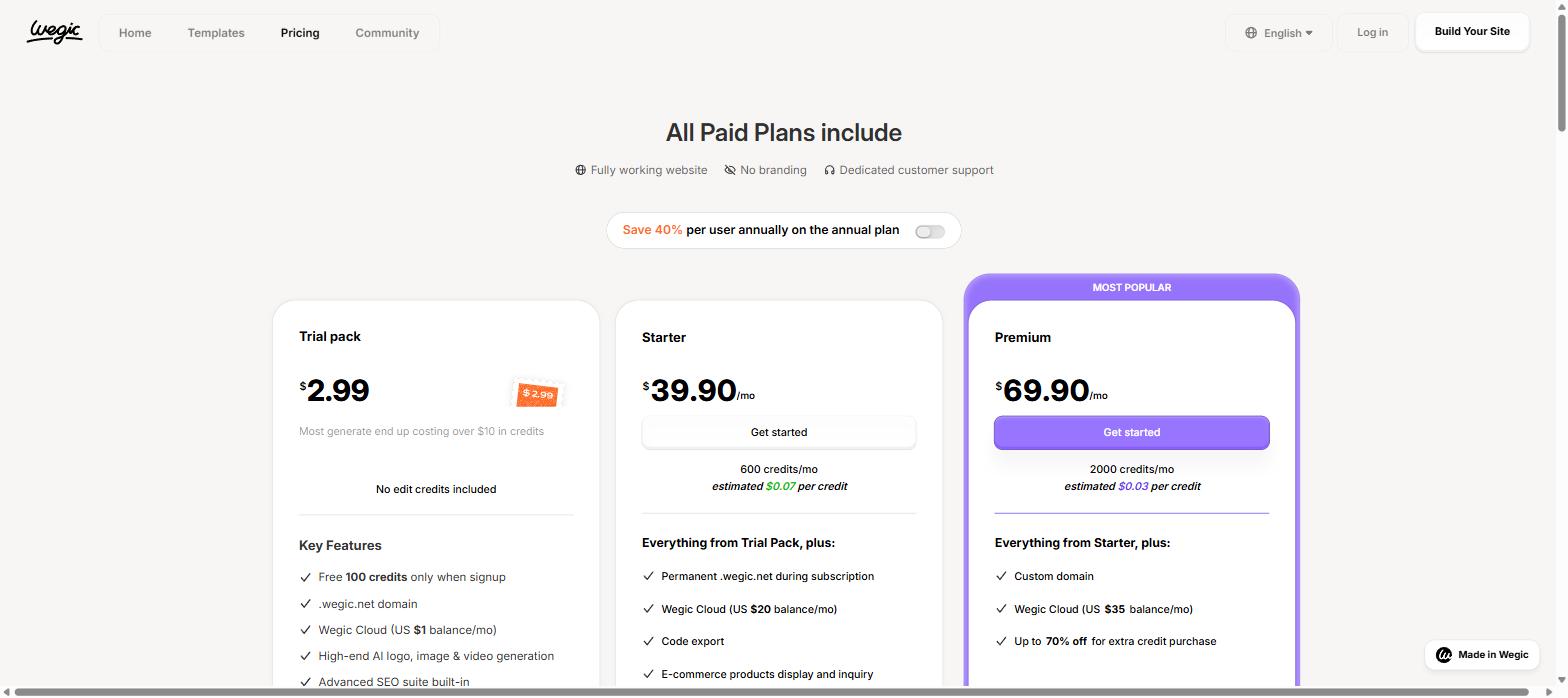
Credit-based generation costs: every plan is metered in monthly credits (600 on Starter, 2000 on Premium) rather than unlimited generations, and the Trial pack listing itself cautions that real usage tends to exceed the $2.99 entry price.
VS. MARKETING CLAIMS
Wegic’s homepage highlights “500K+ websites built,” reach across “230+ countries and regions,” and a stat claiming 80% of users are first-timers, positioning the tool as approachable for non-technical founders. Public testimonials on the site echo that framing, describing simple prompts producing a usable business or portfolio site without hiring a developer. These are the vendor’s own published testimonials rather than independently sourced reviews, so they are worth reading as directional evidence, not a guarantee of your own results.
PROS & CONS
PROS
Full chat-to-website flow generates a complete multi-page site, not just a single template swap
Large multi-niche template library (online stores, portfolios, SaaS, landing pages, holiday sites) for a faster starting point
Starter and Premium both include code export, so output isn’t fully locked into Wegic’s own editor
Advanced SEO suite plus AI logo, image, and video generation are bundled in from the Trial pack up
14-day money-back guarantee on a first-time long-term plan purchase
CONS
The Trial pack’s $2.99 sticker price is misleading, since Wegic AI’s own pricing page warns most generations cost over $10 in credits, with no edit credits included
A connected custom domain is Premium-only; Starter users stay on a .wegic.net subdomain
Unused monthly credits are cleared at the end of each billing cycle instead of rolling over
Annual billing (advertised at 40% off) is shown by default; switching to monthly raises Starter to $39.90/mo and Premium to $69.90/mo
HOW WEGIC AI COMPARES TO OTHER AI WEBSITE BUILDERS
Tool
Entry Price
Mid Tier
Standout Feature
Wegic AI
Trial pack $2.99 (100 free credits on signup)
Premium $41.90/mo billed annually
Chat-to-website generation across a large multi-niche template library
Durable
Free ($0)
Launch $22/mo
Built-in CRM plus AI agents that write blog posts and reply to leads automatically
10Web
Free account
AI Starter $10/mo (12-month plan)
Figma-to-WordPress import, page redesign, and website cloning agents on managed WordPress hosting
Why choose Wegic AI over these two? If your priority is generating a full multi-page site quickly from a text description with a wide template range, Wegic’s chat-first flow fits that better than Durable’s CRM-heavy dashboard or 10Web’s WordPress-centric agents. If you specifically want built-in lead capture and booking tools, Durable is the closer fit; if you want a real self-hosted WordPress site with Figma import, 10Web is worth comparing directly — but try Wegic AI’s free plan first to see whether the chat-based flow matches your workflow.
PRICING & VALUE
Wegic AI runs three tiers: Trial pack ($2.99 one-time, 100 free signup credits, no included edit credits), Starter ($39.90/month, or $23.90/month billed annually at $286.8/year — 600 monthly credits, a permanent .wegic.net domain, a $20/month Wegic Cloud balance, code export, and e-commerce product display), and Premium ($69.90/month, or $41.90/month billed annually at $502.8/year — 2000 monthly credits, a custom domain, a $35/month Wegic Cloud balance, and up to 70% off extra credit purchases).
The clearest value sits with the annual Starter plan for solo users testing the chat-to-website flow who don’t need a fully custom domain yet. You can check current plan details and limits directly on Wegic AI’s pricing page before upgrading.
Hidden costs to watch for:
Trial pack credits often run out mid-generation, pushing real cost well past the $2.99 sticker price
Monthly credits are cleared, not rolled over, at the end of each billing cycle
Wegic Cloud balances ($1 to $35 a month depending on tier) are a separate recurring cost layered on top of the subscription price
FINAL VERDICT: SHOULD YOU TRY WEGIC AI?
Wegic AI earns a solid 3.8/5 for making website creation genuinely conversational: a prompt, a name, and a style are enough to get a multi-page site live, backed by a large template library and real usage numbers. The credit-based ceilings on every tier and the Premium-only custom domain mean it isn’t the unlimited, one-price tool its templates and testimonials might imply, but the free signup credits are enough to judge the chat-to-website flow for yourself before paying.
Try Wegic AI if: you want a fast, prompt-driven way to launch a multi-page site and are comfortable working within a monthly credit allowance.
Skip or wait if: you need a free custom domain immediately or expect unused credits to carry over month to month.
1. Is Wegic AI free to use?
Signup includes 100 free credits, but full website generation and export features are paid, with the Trial pack and monthly plans priced separately.
2. Does Wegic AI export real, editable code?
Yes — Starter and Premium subscribers get code export in addition to editing directly inside Wegic’s own builder.
3. Do unused credits roll over if I don’t use them?
No — based on Wegic AI’s published FAQ, unused monthly credits are cleared at the end of each billing cycle rather than carried forward.
4. Is Wegic AI good for e-commerce?
Starter and Premium both list e-commerce product display and inquiry tools, though full checkout and payment features should be confirmed against your specific store needs first.
Hottest fashion trends 2026 reviewed honestly — which trending styles are actually wearable, which are overhyped, and what’s worth buying right now in the US market. Quick Verdict: 2026’s biggest fashion trends fall into two camps: genuinely wearable evolutions of…
PS5 Pro review 2026 — I tested it for 30 days. Here’s the honest verdict on performance, graphics, and whether upgrading from a standard PS5 is actually worth the money. Quick Verdict: The PS5 Pro is the most capable PlayStation…
How to track your health at home on a $50 budget — a practical step-by-step guide to the best tools, apps, and habits for home health monitoring in 2026. Quick Answer: You don’t need expensive wearables or a gym membership…